Answer your customers from inside the product
Tickets with a deadline your team can see, one inbox to answer them all and a live chat for the plans that pay for it, already built.
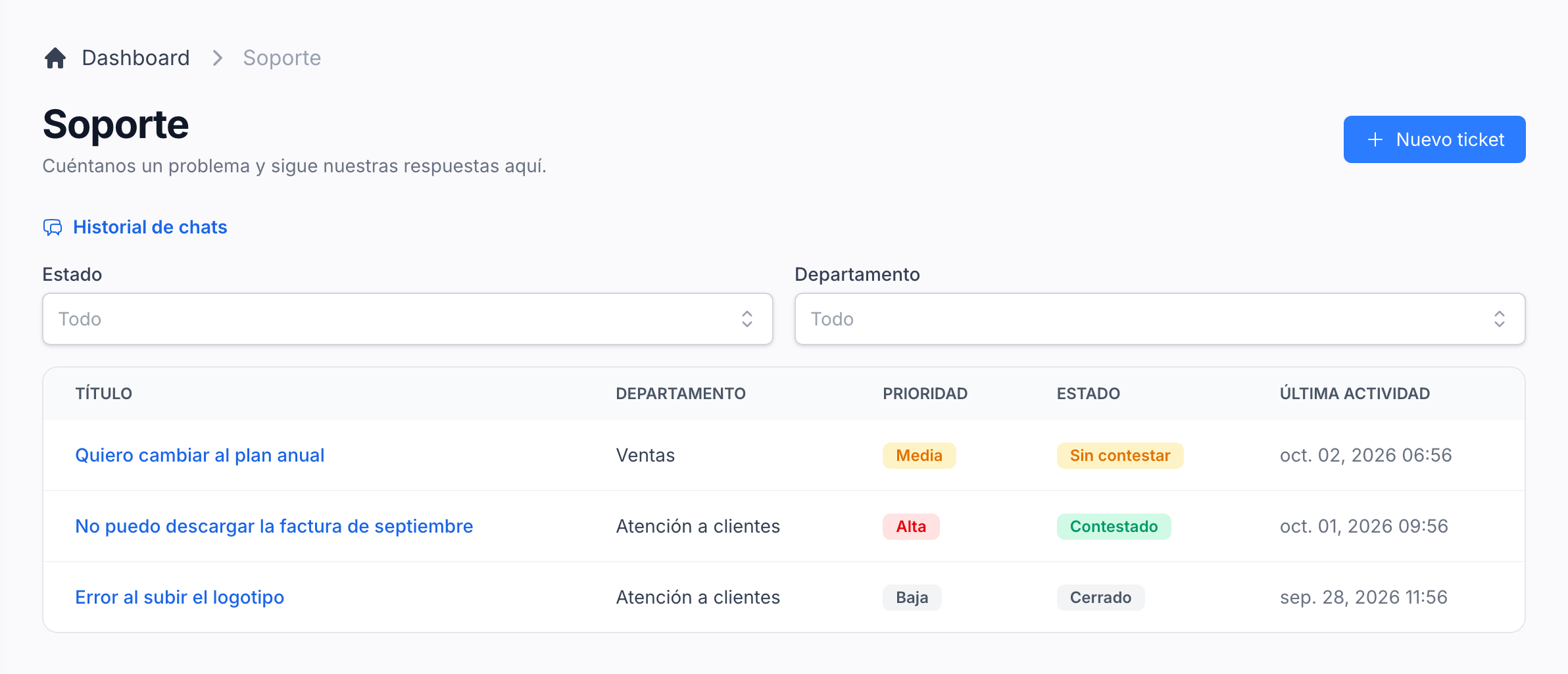
Let every account ask for help without leaving
Each account has a Support page that lists its tickets with their department, priority, status and last activity. Opening a ticket shows the whole conversation, and a reply can carry files.
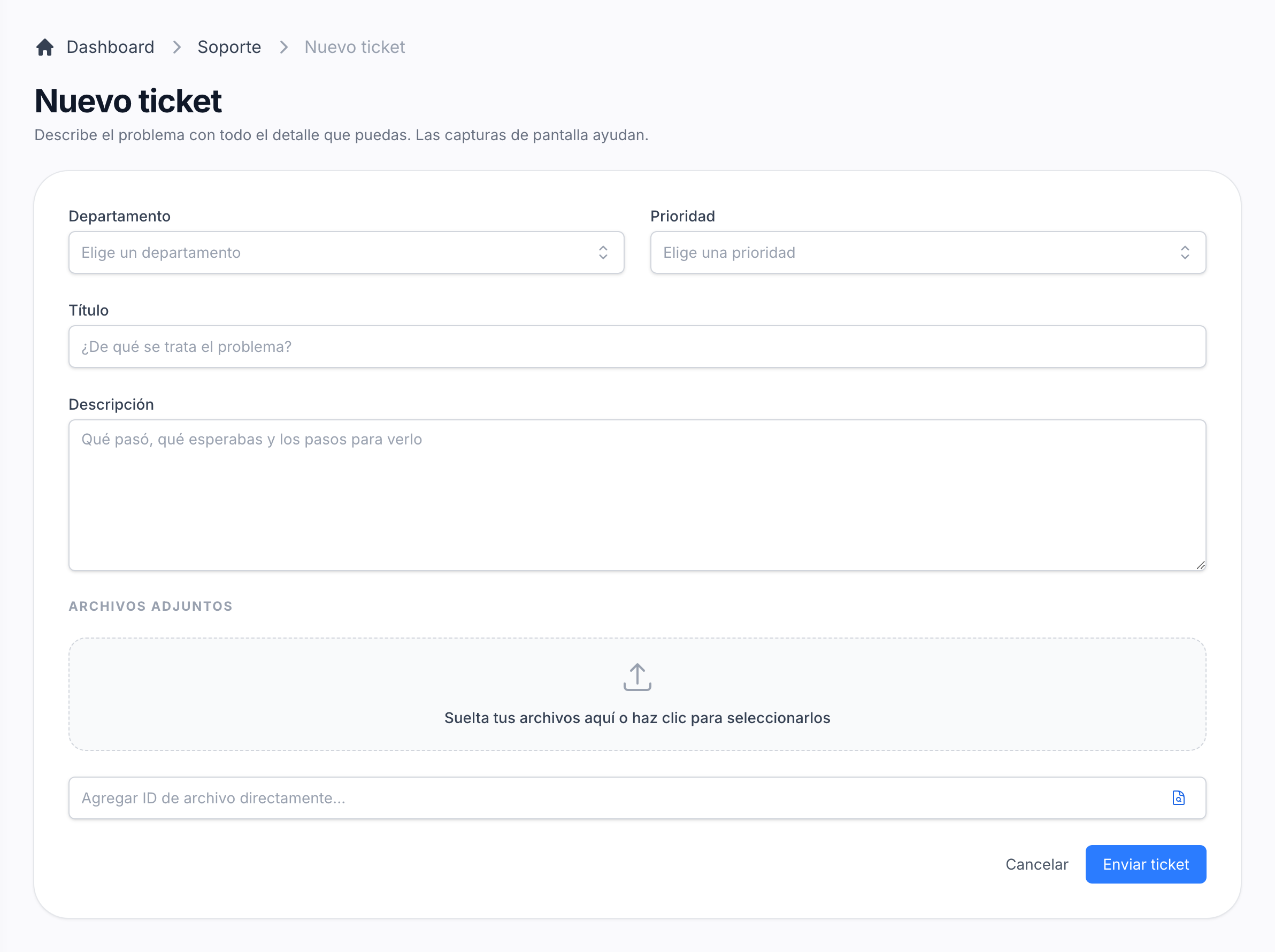
Open a ticket in one form
Department, priority, a title, a description and the screenshots that help. The departments are a list in your configuration, and the team is told the moment a ticket arrives.
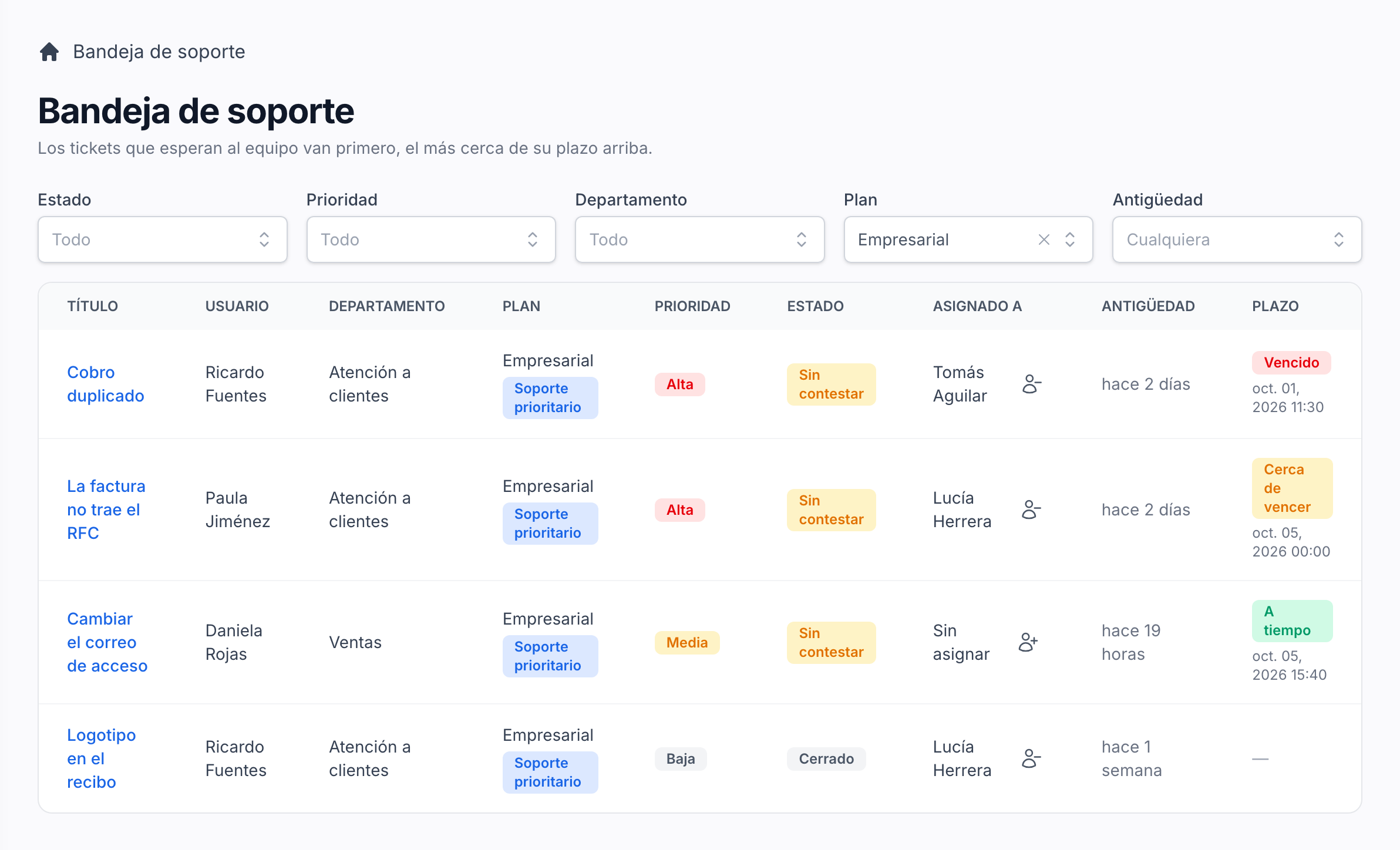
Answer every ticket from one inbox
Your team sees every ticket with its user, plan, priority, status, who has it and its deadline, and filters by any of them. What is waiting comes first, the closest to its deadline at the top.
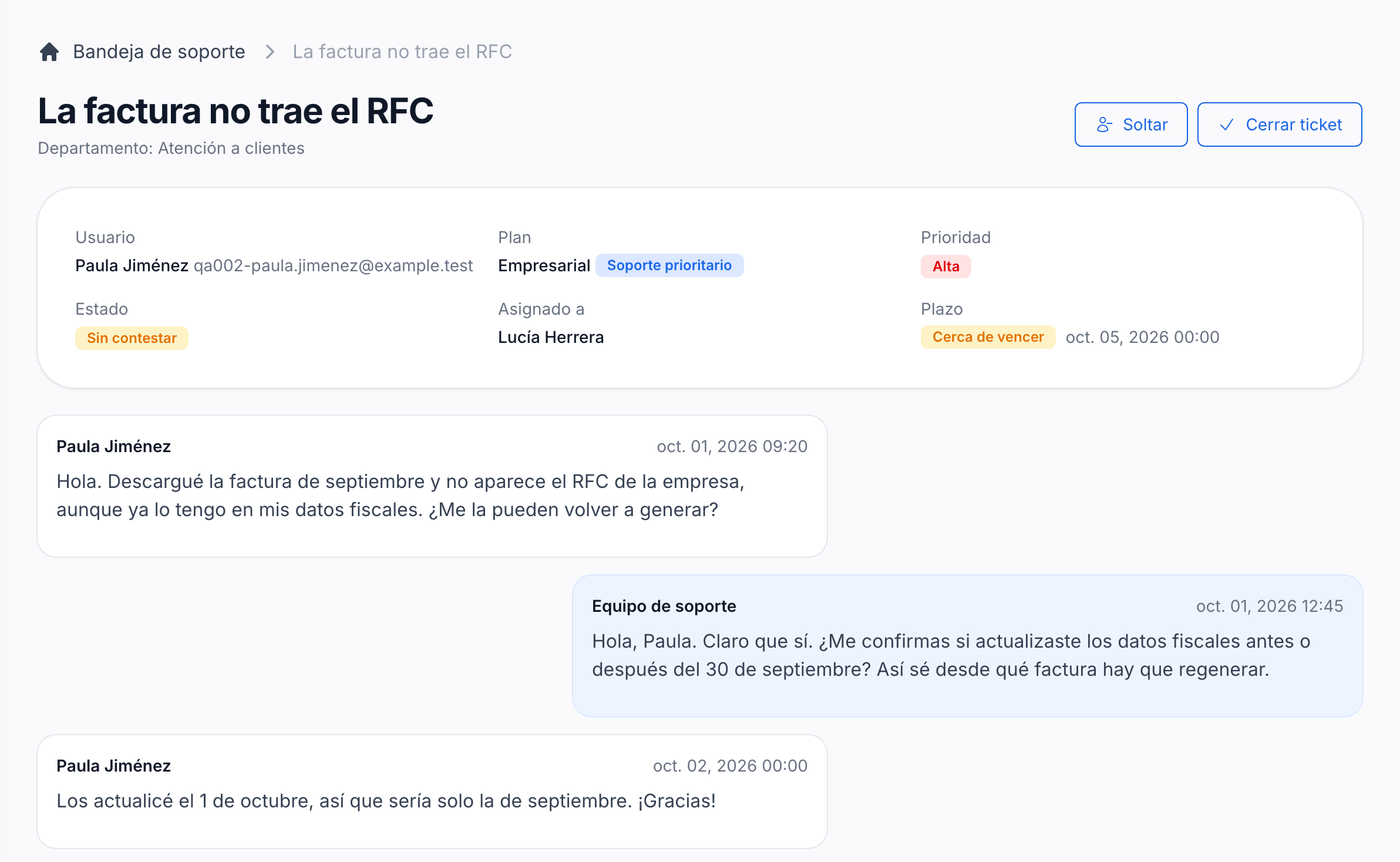
Know who has each ticket and how long is left
A ticket shows the plan the account had when it was opened and whether it carries priority support. Whoever takes it assigns it to themselves, and a deadline counted in business days turns yellow when time runs short and red once it has passed.
Close the tickets nobody comes back to
A ticket the account did not reply to after the team answered closes by itself after a few days, with a warning the day before. Either side can reopen it, and the team gets a summary of what is close to its deadline every weekday morning.
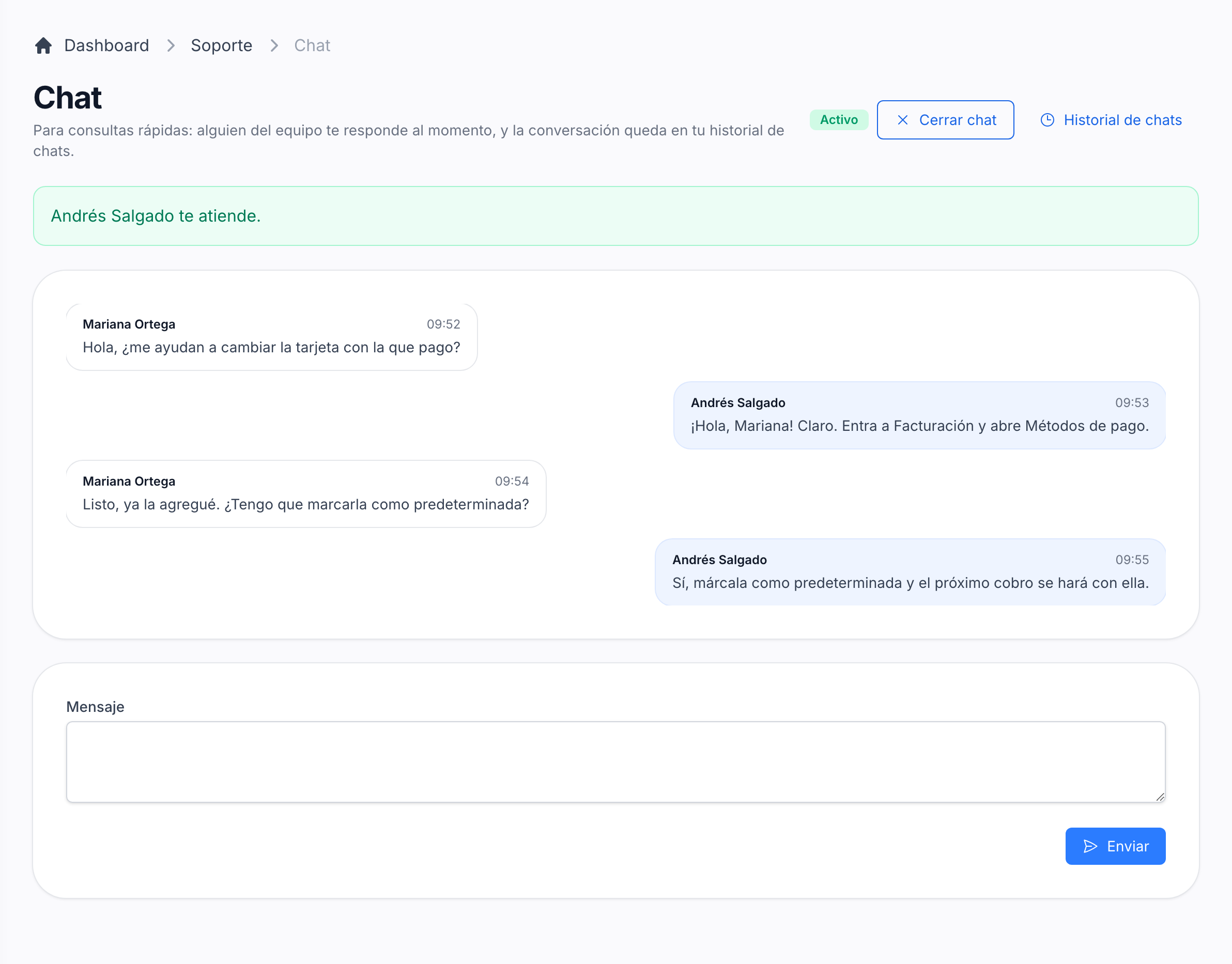
Chat live with the accounts that pay for priority
Accounts whose plan has priority support see a Chat option next to tickets, active while someone on the team is receiving chats. Messages arrive in real time on both sides, and every conversation stays in the account's chat history.
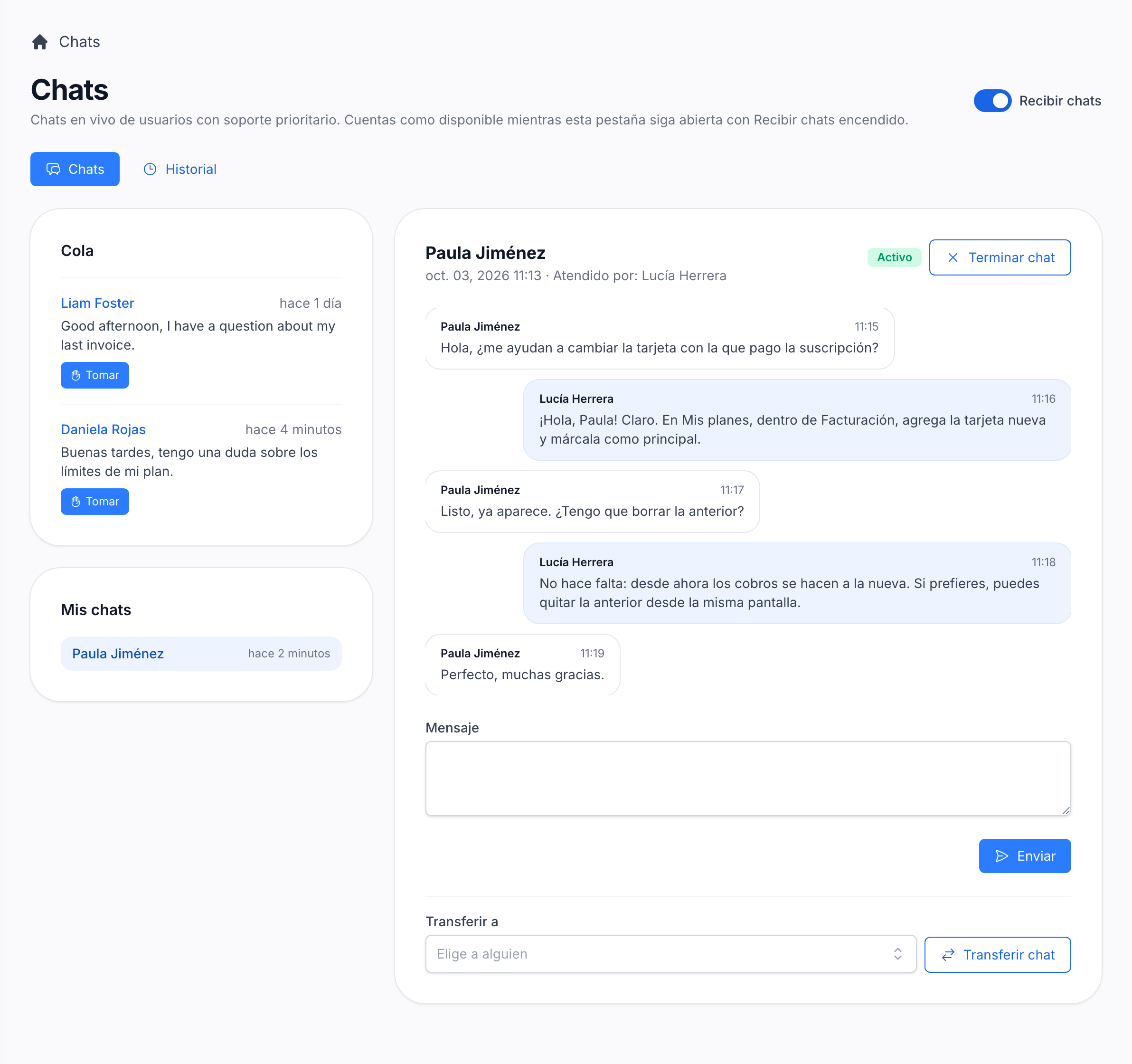
Attend the queue as a team
With Receive chats on, the team sees who is waiting, takes a chat from the queue, answers it, transfers it to a colleague or ends it. A chat where nobody writes for a few minutes closes by itself.