Files, images and storage
Where uploaded files go, why S3 is the default, and how a Livewire upload is stored through the media library.
This guide covers the disk the application writes to, the variables it needs, how to work on the local disk instead, and the one pipeline an upload goes through to be stored: the media library, which is also where the profile picture lives. You need it when you configure a new environment and the first time a model of yours gets a photo.
The default disk is S3
config/filesystems.php sets the default disk to env('FILESYSTEM_DISK', 's3'), and .env.example writes FILESYSTEM_DISK=s3. The kit assumes a bucket everywhere, including on your machine: every upload and every Storage:: call without a disk name goes to it.
| Variable | In .env.example |
What it does |
|---|---|---|
FILESYSTEM_DISK |
s3 |
The default disk: s3, public or local |
AWS_ACCESS_KEY_ID |
placeholder | Credentials, shared with the ses mailer and the SMS service |
AWS_SECRET_ACCESS_KEY |
placeholder | Same |
AWS_DEFAULT_REGION |
us-west-1 |
The bucket's region |
AWS_BUCKET |
weblabor-test |
The bucket. Set your own |
AWS_USE_PATH_STYLE_ENDPOINT |
false |
true for services that address buckets by path, such as MinIO |
AWS_URL |
not listed | Public base URL of the files, when a CDN or a custom domain serves the bucket |
AWS_ENDPOINT |
not listed | The API endpoint of an S3-compatible service; leave empty for AWS itself |
The s3 disk has visibility set to public, so every file written to it is readable at its plain URL, and throw set to false, so a failed write returns false and logs nothing instead of raising. When an upload seems to do nothing, check the credentials and the bucket policy before the code.
Using a local disk instead
Two local disks are defined. local writes to storage/app/private, is not public and serves files through signed temporary URLs. public writes to storage/app/public, is public, and builds URLs as APP_URL/storage/{path}. For a machine without a bucket, use public:
FILESYSTEM_DISK=public
php artisan storage:link
storage:link creates the symbolic link public/storage pointing at storage/app/public, the only entry of links in config/filesystems.php. Without it the URL is built but the web server finds nothing there, so every image is a broken link. Run it once per machine and on every deployment that starts from a fresh clone.
Image URLs come out of getImageUrl($path, $default = null, $disk = null), the helper behind $user->avatar: it returns $default when the path is empty or the file is not on the disk, the plain URL when the disk's visibility is public, and otherwise a temporary URL valid for five minutes, cached for as long. The local disk works too, then, at the price of a signed URL per image.
What saveImagesWithThumbs produces
saveImagesWithThumbs($source, $folder, $name, $width, $height) stores a resized image with thumbnails under a plain path, and deleteImagesWithThumbs($path) removes a file together with its thumbnails. The helper is in the weblabormx/laravel-front package and resizes with intervention/image on its Imagick driver, so PHP needs the imagick extension wherever uploads run. For each upload it writes, in the folder you passed:
| Suffix | Size | Fit |
|---|---|---|
| none | at most $width×$height, scaled down only when larger |
Keeps proportions |
s |
90×90 | Cropped square |
b |
160×160 | Cropped square |
t |
160×160 | Keeps proportions |
m |
320×320 | Keeps proportions |
l |
640×640 | Keeps proportions |
h |
1024×1024 | Keeps proportions |
The suffix goes before the extension: billing-addons/addon-1725360000-a1b2c3.jpg has billing-addons/addon-1725360000-a1b2c3b.jpg next to it. The six sizes are config('front.thumbnails') from the package; publish config/front.php to change them. A heic, heif or avif upload is converted to JPEG at quality 90 and stored with a .jpg extension. Every file is written with public visibility.
Read a thumbnail with getThumb($pathOrUrl, 'b'), which inserts the suffix in the last segment of whatever string you give it, a path or a full URL. It first calls validateGetThumb() from app/Helpers/base.php, which returns the string untouched when it starts with https://api.dicebear.com or https://www.gravatar.com: those are generated avatars with no thumbnails to point at. Add your own hosts there when a model can hold an external image.
What Livewire does before your code runs
Livewire stores the upload in a temporary location first; config/livewire.php governs it under temporary_file_upload:
| Key | Value | Effect |
|---|---|---|
disk |
LIVEWIRE_TEMPORARY_FILE_UPLOAD_DISK, empty |
The disk of temporary files; empty means the default disk, so S3 out of the box |
rules |
required, file, max_file_weight: MULTIMEDIA_MAX_FILESIZE |
The project's upload limit, 110 MB by default, instead of Livewire's 12 MB. Change it with MULTIMEDIA_MAX_FILESIZE alone; each screen's own rule can be stricter, never looser. A file over it is refused with the browser check's own wording, in MB |
directory |
null |
livewire-tmp on that disk |
middleware |
null |
throttle:60,1 on the upload endpoint |
preview_mimes |
list | Extensions allowed to have a temporary preview URL; includes heic and heif |
max_upload_time |
60 |
Minutes before an unfinished upload is invalidated; long enough for a file at the limit on a slow connection |
cleanup |
true |
Temporary files older than 24 hours are removed |
Two consequences matter. With the temporary disk on S3, the browser uploads straight to the bucket with a pre-signed URL, so the bucket's CORS rules must allow PUT from your domain; on a local disk the file goes through your server and no CORS is involved. The media library and the file and image fields of your forms do not use that single URL on S3: they upload in parts of 10 MB, each with its own short permit, retried on failure and resumed after a dropped connection, and they check the size before starting and again once the file is joined, so the limit holds on S3 as well. The bucket's CORS rule and permissions for it are in the deployment notes of the developer documentation. And a field that reads its upload through temporaryUrl() only works for the extensions in preview_mimes: avif is not in that list, so a field whose rules accept AVIF and that reads the file that way passes validation and then fails with a "not previewable" exception. Add 'avif' to preview_mimes if you want to accept it. On a local disk that URL is a signed route on APP_URL, which the server fetches itself, so APP_URL must resolve from the machine running PHP. The media library pipeline below reads the file from its stored temporary path instead of calling temporaryUrl(), so it never hits this limit. It takes a file of any type from there — a PDF, an audio track, a video or an SVG as well as a picture — and removes the temporary copy once the file is stored or refused. A screen can still narrow that. The category image takes only images — SVG, JPEG, PNG, GIF, WebP, HEIC or AVIF: its file dialog offers only images, and any other file is refused before it is stored, with "The image must be an image file." under the field, so it never takes up space.
The profile picture goes through the media library
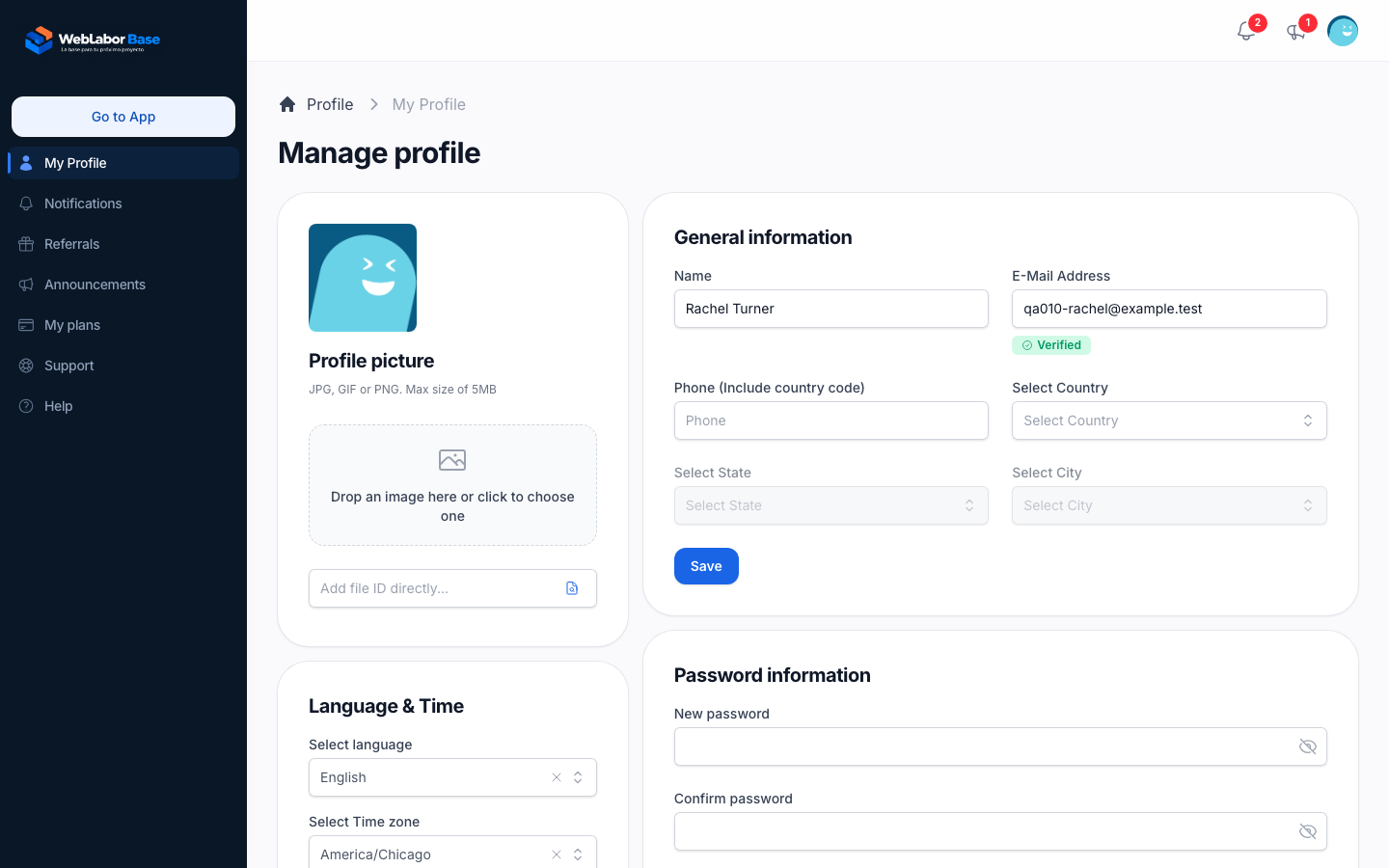
The profile picture is a Media record in the account's own media library, referenced by an avatar_media_id foreign key on users, not by a path column. App\Livewire\Auth\MyProfile shows the image uploader, the same component every form uses to store files in the media library, and App\Livewire\Traits\HasProfilePhoto applies what it chose:
<img src="{{ $user?->avatarForSize(112) }}" alt="{{ $user->name }}">
<x-image-uploader wire:model.live="photo" :model="$user" relation="avatarMedia" :max-size="5120" />
public function updatedPhoto()
{
    $changes = is_array($this->photo) ? $this->photo : [];
    if (empty($changes['attach']) && empty($changes['detach']) && empty($changes['delete'])) {
        return;
    }

    $this->user->saveAvatarChanges($changes);
    $this->user->refresh();
    $this->photo = [];

    $this->dialog()->success(__('Success'), __('Avatar updated correctly'));
}
The uploader sends the image as soon as it is chosen, with a progress bar, and wire:model.live="photo" hands its choice to updatedPhoto() at once; there is no Save button. User::saveAvatarChanges() relates the image to the account and writes its id to avatar_media_id, and taking the current picture off in the uploader leaves the column empty. The upload runs through App\Jobs\Media\FileUpload, which stores it in the account's own root media folder and generates the conversions the media library defines (thumb-64, thumb-128, thumb, thumb-512), the same pipeline the Media Library screen (/app/media) uses for every other upload. Reading the image back never touches getThumb() or getImageUrl(): $user->avatarForSize($displaySize) picks the smallest generated conversion that still covers twice the requested size, and $user->avatar always returns the thumb conversion. Either one falls back to a Dicebear placeholder built from the account's email while avatar_media_id is empty.
Uploading a new picture never deletes the previous one: the old Media record stays in the account's library, unlinked from the account, and only the avatar_media_id pointer moves to the new upload. And because this upload is owned by the account like any other file in its library, it counts against the account's disk-space quota. A category image follows whoever owns the category: one uploaded from /app for the user's own category counts against that user's space like the profile picture, while one uploaded from the admin catalogue goes to General/Categorias, in the ownerless General folder of the media library browsed from Media in the admin panel, and counts against nobody's space.