

Get it running
From a fresh clone to the application open in your browser, signed in as admin.
This guide takes you from a clone of the repository to the application running on your machine and you signed in as an administrator. You need it once per machine.
What you need installed
| Requirement | Version | Why |
|---|---|---|
| PHP | 8.2 or newer | composer.json requires ^8.2 |
| Composer | 2 | installs the PHP dependencies |
| Node.js and npm | Node 20.19 or newer, or 22.12 or newer | the assets are built with Vite 7 |
| A database | MySQL 8, MariaDB, PostgreSQL or SQLite | config/database.php also carries a SQL Server connection |
Redis and Memcached are optional. The default queue, cache and session drivers are all database, so nothing else has to be running.
The seven steps
Run them from the root of the clone, in this order.
1. Copy the environment file.
cp .env.example .env
2. Install the PHP dependencies.
composer install
Besides installing packages, this points core.hooksPath at scripts/git-hooks, so a pre-push hook runs from now on. It stops a push when a help guide the push changes is missing its translation; work you have not committed does not count, and git push --no-verify skips it once.
3. Generate the application key.
php artisan key:generate
4. Point .env at your database. The block depends on the engine; see the next section. Create the database first: the migration does not create it.
5. Run the migrations and the seeders.
php artisan migrate --seed
6. Install the frontend dependencies and build the assets.
npm ci && npm run build
7. Link the public storage folder.
php artisan storage:link
The database block of .env
.env.example ships with MySQL. Replace the block with the one for your engine.
MySQL or MariaDB:
DB_CONNECTION=mysql
DB_HOST=127.0.0.1
DB_PORT=3306
DB_DATABASE=your_project
DB_USERNAME=root
DB_PASSWORD=
For MariaDB set DB_CONNECTION=mariadb; the other variables are the same.
PostgreSQL:
DB_CONNECTION=pgsql
DB_HOST=127.0.0.1
DB_PORT=5432
DB_DATABASE=your_project
DB_USERNAME=postgres
DB_PASSWORD=
SQLite needs no server. Create the file and name it:
touch database/database.sqlite
DB_CONNECTION=sqlite
DB_DATABASE=/absolute/path/to/your-project/database/database.sqlite
If you remove DB_DATABASE altogether, the sqlite connection falls back to database/database.sqlite inside the project. Leaving the MySQL value laravel in place would make SQLite look for a file called laravel, so remove it or replace it.
All engines also accept DB_URL as a single connection string instead of the separate host, port, database, username and password. The rest of the database variables are in The environment file.
Two variables to fix before the first page loads
.env.example is written for a server that has Amazon S3 and a transactional mailer. On a laptop, two of its values will break the first request or the first email.
| Variable | Shipped value | Set it to |
|---|---|---|
FILESYSTEM_DISK |
s3, with placeholder AWS keys |
public until you have a bucket |
MAIL_MAILER |
failover, which tries Mailgun then Amazon SES |
log to write emails to the log, or smtp with a local catcher |
Also set APP_URL to the address you will actually open. The example value is http://weblabor-base.test, which only resolves if Herd or Valet is serving the folder under that name.
What the seed creates
php artisan migrate --seed runs DatabaseSeeder, which calls five seeders in this order:
PermissionSeederreads every admin resource and creates acreate,retrieve,updateanddeletepermission for each one, plus anything you add topermissionsinconfig/app.php. Permissions that no longer exist are deleted whenallow_permisisons_deletionistrue, which it is by default.RoleSeedercreates the role named inadmin_role(admin) and gives it every permission, creates a role calledclientwith none, and creates thedefault_roleif you name one.AdminSeedercreates one administrator per email insudoand assigns the admin role.UserSeedercreates one plain user per email indefault_users, with no role.AddOnSeedercreates the add-ons listed in the file. The list ships empty and the seeder returns early when the billing package is not installed.
Both user seeders use firstOrCreate, so running the seed again never resets a password.
Your first sign-in
The accounts come from two arrays in config/app.php:
'sudo' => [
    '[email protected]',
],

'default_users' => [
    '[email protected]',
],
Put your own email in sudo before you seed. If you already seeded, add it and run php artisan db:seed --class=AdminSeeder; the seeder only creates what is missing.
For each email, both seeders do exactly this:
- The name is the part before
@turned into words:CarlosEscobarbecomesCarlos Escobar,adminbecomesAdmin. - The email is lowercased before it is saved, so you sign in with the lowercase form even if
config/app.phphas capitals. - The password is the lowercase part before
@, reversed.[email protected]getsnimda;[email protected]getstset;[email protected]getsrabocsesolrac. - The email is marked as verified, so the account skips verification.
AdminSeeder does one more thing: if the stored password still equals the generated one, it records a password change request. The first time that administrator signs in, the security middleware sends them to /password/request to choose a real password before they can reach anything else. default_users get no such request.
Whether an account is a super-administrator is not stored: the sudo attribute on the user compares the email against the lowercased sudo list every time. Removing an email from the array removes the privilege on the next request, although the account keeps the admin role until you take it away in the panel.
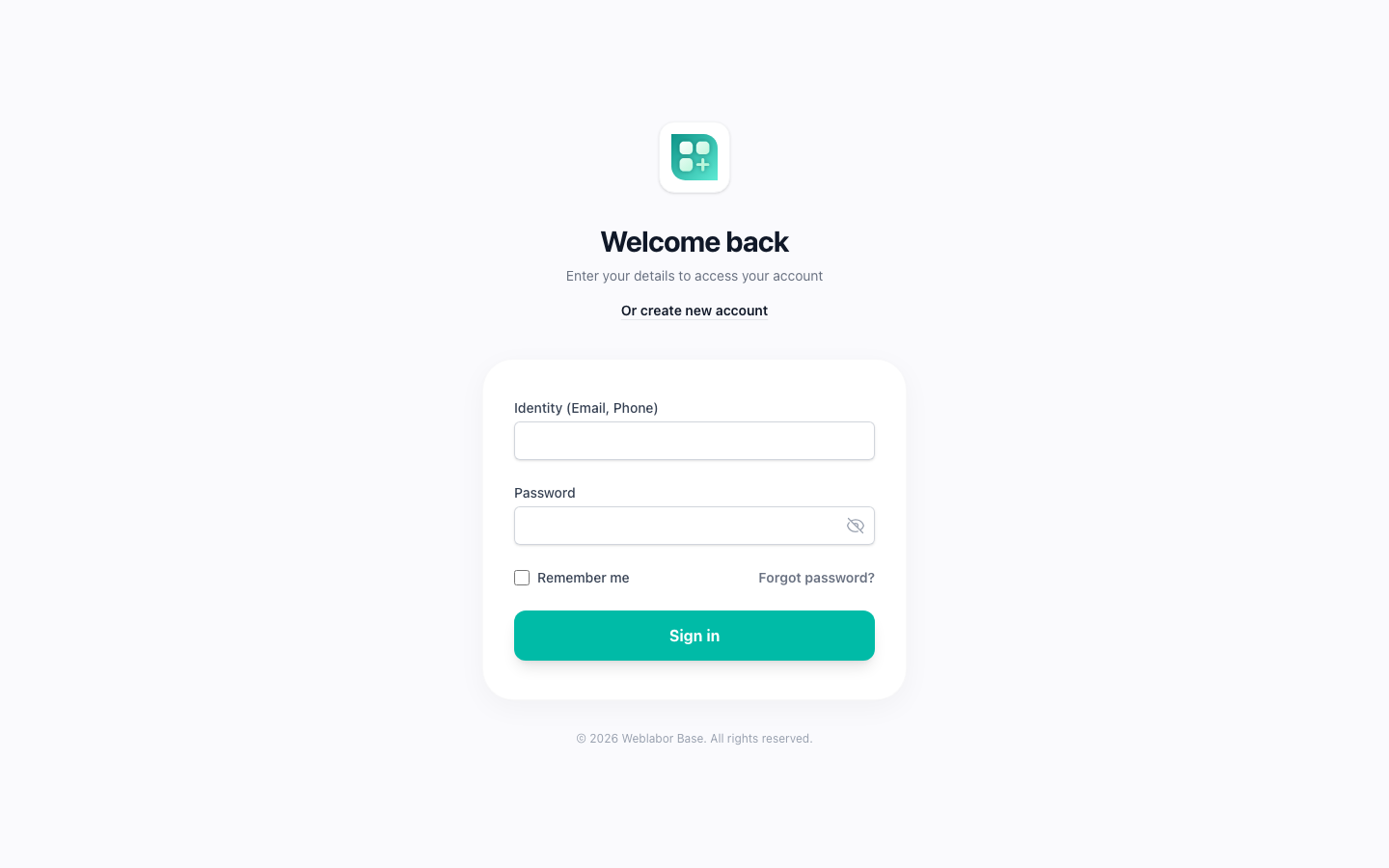
Open the site and go to /login. Sign-in accepts the email by default; the LOGIN_IDENTITIES variable widens it to phone and username. After signing in you land on /app, the value of home_route in config/app.php, and the admin panel is at /admin. Your own profile, devices and notifications are at /account; see Your account area.
Start the servers
composer dev
This runs four processes in one terminal: php artisan serve on port 8000, php artisan queue:listen --tries=1, php artisan pail tailing the log, and npm run dev for Vite with hot reload. Set APP_URL=http://localhost:8000 so the links the application builds match the address you open.
If you serve the folder with Herd, Valet or your own web server, you only need Vite:
npm run dev
Or skip Vite entirely and use the assets you built in step 6.
Everything optional starts off
Plans, add-ons, announcements, referrals and tracking each have a flag in config/features.php, and every flag defaults to false. A disabled feature loses its routes and its menu entries, admin panel included. If the panel is missing a section you expected, that is why. The PIN, phone verification, the PWA, web push, Stripe and the AI translator each also wait for their own variables. Configure your project lists the flags and where each one leads.
When it does not start
| What you see | Cause | Fix |
|---|---|---|
No application encryption key has been specified |
step 3 was skipped | php artisan key:generate |
Connection refused or Unknown database |
the server is down or the database does not exist | start the server and create the database named in DB_DATABASE |
Database file at path [laravel] does not exist |
SQLite with the MySQL DB_DATABASE still in place |
remove DB_DATABASE or point it at the .sqlite file |
Unable to locate file in Vite manifest |
the assets were never built | npm run build, or keep npm run dev running |
An error mentioning InvalidAccessKeyId or S3 on upload |
FILESYSTEM_DISK=s3 with the placeholder keys |
FILESYSTEM_DISK=public |
| A verification email never arrives | MAIL_MAILER=failover with no Mailgun or SES credentials |
MAIL_MAILER=log and read storage/logs/laravel.log |
No admin role defined. during the seed |
admin_role in config/app.php is empty |
give it a name; admin is the default |
| A permission you just created is denied | Spatie caches permissions for 24 hours | php artisan permission:cache-reset |
Images under /storage/... return 404 |
step 7 was skipped | php artisan storage:link |
| Vite refuses to start or reports a syntax error | Node older than 20.19 | upgrade Node |
| A setting you changed is ignored | a cached configuration | php artisan config:clear |
The daily commands, the tests and the checks that run before a push are in Working on the code.