

Your account area
What a signed-in person can change about themselves under /account, and what each screen needs from you to work.
Every signed-in person has an account area at /account: their profile, their notifications, the announcements you publish and, when the program is on, their referrals. This guide walks through each screen, what it writes to the users table, and the configuration that decides which parts appear. You need it when a client asks where to change their password, and when you decide which fields your product lets people edit.
The screens
All of them are defined in routes/auth.php behind the auth and security middleware: the person must be signed in, must not be blocked, and must not have a pending forced password change.
| URL | Route name | Component | Exists when |
|---|---|---|---|
/account |
auth.profile |
App\Livewire\Auth\MyProfile |
Always |
/account/notifications |
auth.notifications.center |
App\Livewire\Auth\Notifications\Index |
Always |
/account/referrals |
auth.referrals |
App\Livewire\Auth\Referrals\Index |
FEATURE_REFERRALS_ENABLED=true, otherwise 404 |
/account/announcements |
auth.announcements.index |
App\Livewire\Auth\Announcements\Index |
FEATURE_ANNOUNCEMENTS=true, otherwise 404 |
/account/announcements/{announcement} |
auth.announcements.show |
App\Livewire\Auth\Announcements\Show |
Same flag; the URL carries the slug |
The sidebar of the whole area is resources/views/layouts/sidebars/account.blade.php. The layout picks the sidebar from the first segment of the URL, so anything you add under /account gets it too. It lists My Profile, Notifications, Referrals and Announcements (the last two only when their flags are on), My plans when billing is available and the person may see subscriptions, and Help, which opens the public help centre at /help. A Go to App button at the top returns to route('app.dashboard').
The profile page
/account is one Livewire component, App\Livewire\Auth\MyProfile, laid out as cards. Each card has its own Save button and its own method, so saving the password does not revalidate the name and the other way round.
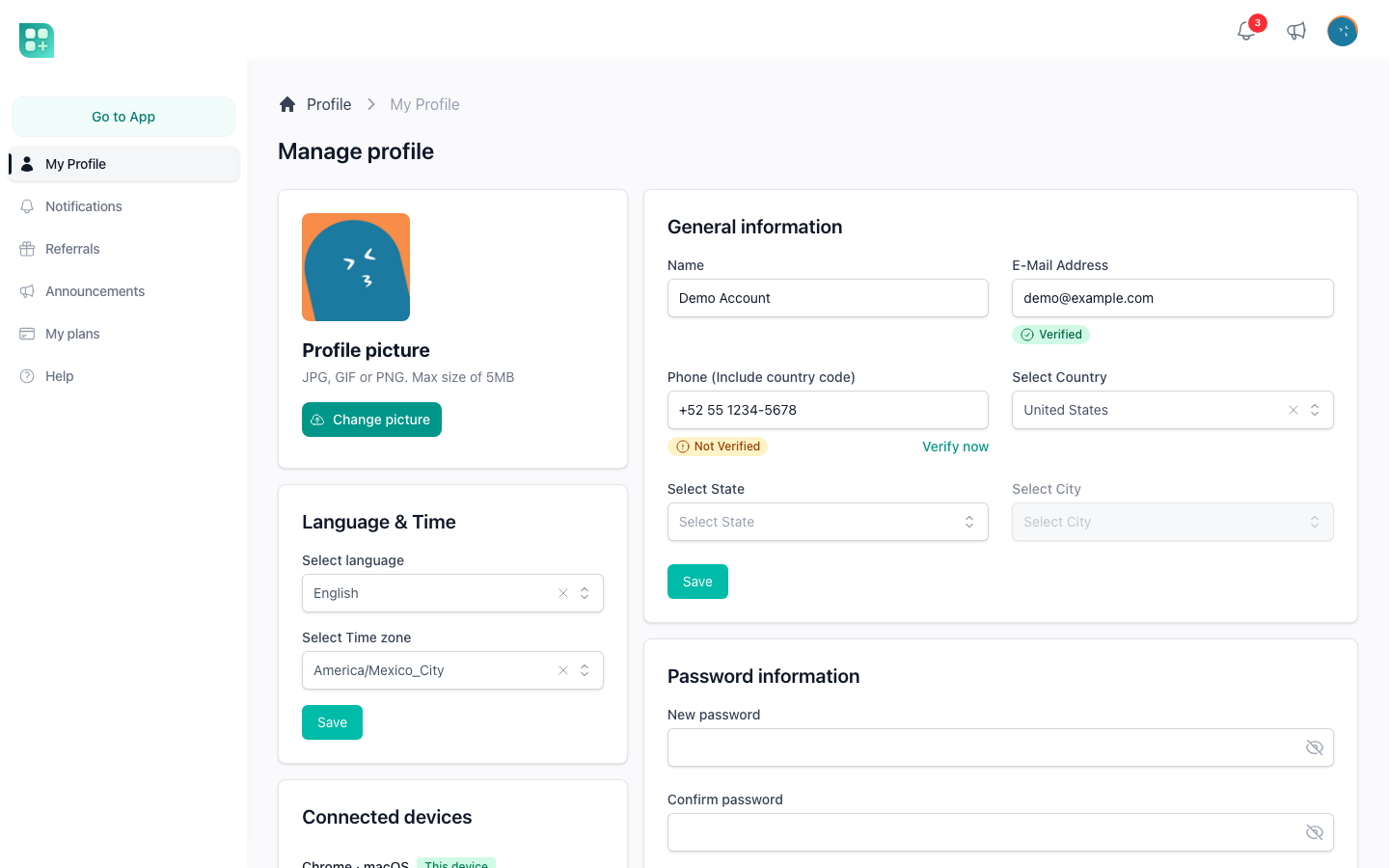
Profile picture
The picture is an <x-image-uploader> bound with wire:model.live to photo: choosing a file uploads it at once with a progress bar, and updatedPhoto() saves the change through User::saveAvatarChanges(), so there is no Save button. The uploader takes any image up to 5120 KB; the caption on screen only names JPG, GIF and PNG. The file lands in the account's own media library as a Media record, with the conversions the library generates for every upload, and users.avatar_media_id points at it. A picture replaced by a new one stays in the library. Taking the current one off offers Remove from this record, which keeps it in the library, or Delete from the media library, which deletes it. Because the file belongs to the account like anything else in its library, it counts against the account's disk-space quota. The pipeline and what it needs from your storage are in /help/files-images-and-storage.
Until a person uploads a picture, $user->avatar is a placeholder generated by api.dicebear.com from the MD5 of their email.
General information
Name, the identity fields, and country, state and city. Which identity fields exist follows LOGIN_IDENTITIES (config('auth.login_identities')): an Email field when email is in the list, Phone when phone is, Username when username is. Each identity must be unique across users; the username is letters, digits, dashes and underscores, up to 255 characters. Saving also runs the check in App\Livewire\Traits\ValidatesLoginIdentities: at least one identity must be filled, and when more than one is configured a username alone is not enough, an email or a phone must be there too. The error opens a dialog and nothing is saved.
Country, state and city are stored in the extra_data JSON column, not in columns of their own.
While AUTH_ENABLE_VALIDATION is on, the email field and the phone field each show a Verified or Not verified badge and a Verify now link that sends a code, and Save refuses an identity that was changed and not confirmed: the field itself says the value still needs its code. An identity nobody touched is never asked again, so saving the name or the country needs no code. Emptying an identity is allowed and clears its verification with it, as long as the check above still finds a usable identity left.
When a code is confirmed, onIdentityVerified() writes that identity and its timestamp at once, without pressing Save, and writes nothing else: everything else on the page waits for Save and its validation. A phone is stored in international format, and the badge compares numbers rather than strings, so the stored number typed without its prefix is still the same number. With the switch off neither field shows the verification row. How the codes travel is in /help/verify-email-and-phone.
Password
Two fields: the new password and its confirmation. The rule is at least 8 characters and both fields equal (changePassword(), required|min:8|confirmed). The current password is not asked. Nothing signs the other sessions out; the Connected devices card below does that.
Language and time
Two selects. The language offers the keys of config('app.languages'), es and en out of the box; the timezone offers PHP's full list of identifiers. Both are required to save, and they write users.locale and users.timezone. The locale is the language of the interface for that account, the timezone is how every date is shown to them. See /help/languages-and-translations and /help/timezones-and-dates.
Notifications
One toggle, Email notification, bound to users.send_mail. Off drops the mail channel from every notification the base class sends; the bell and the notification centre keep receiving everything. When APP_PWA=true and the VAPID keys are configured, a second toggle, Push notification, subscribes or unsubscribes the current browser, and a Test button appears while it is subscribed. Test calls testWebPushNotification(), which sends App\Notifications\TestWebPushNotification to the person's push subscriptions, or warns instead when push is not configured or this browser has no subscription. See /help/send-notifications and /help/web-push-and-the-pwa.
Security PIN
The card exists only when AUTH_ENABLE_PIN=true. It embeds App\Livewire\Auth\ManagePin: four one-digit boxes for the PIN and four for its confirmation, plus four for the current PIN once one exists, which must match before anything changes. The PIN is exactly four digits and is stored hashed in users.pin.
While the flag is on and the person has no PIN, App\Http\Middleware\SystemValidations flashes a warning on every request, and <x-design::system-warnings/> renders it at the top of every page of the application layout: "Need to configure a PIN for your account." with a Configure PIN link to /account. An administrator can clear a user's PIN from the user's page in the admin panel. What the PIN protects is in /help/the-security-pin.
Connected devices
The card lists the sessions of the account: the rows of the sessions table whose user_id is the person and whose last_activity is within SESSION_LIFETIME (525600 minutes, a year, by default), newest first. Each row shows the browser and the operating system read from the user agent (Edge, Opera, Samsung Internet, Firefox, Chrome or Safari, including the iPhone and iPad builds of Chrome, Firefox, Edge and Opera; Windows, macOS, Android, iOS or Linux), the IP, the country, and how long ago it was last active; the current session is marked This device. Disconnect ends one other session; when there is more than one, Disconnect all other devices asks for confirmation (confirmDisconnectAll()) and deletes every row except the current one. The password does not change.
Two requirements. The list reads the database, so it only works with SESSION_DRIVER=database, which .env.example sets, and the sessions table from the default migrations; with the file driver the card says No connected devices found. The country comes from App\Services\CountryDetectionService::detectFromIp(): a private IP, which is every request in local development, returns COUNTRY_CODE_FALLBACK; a public IP is looked up at ipapi.co with a two-second timeout, and a failed lookup leaves the location empty.
Delete account
Delete opens a confirmation dialog (confirmDeletion()). Accepting runs deleteAccount(): it signs the person out, deletes the user and redirects to /. The User model uses SoftDeletes, so the row stays with deleted_at set even though the dialog announces a permanent deletion, and nothing else is removed: notifications, sessions and related records keep pointing at the id. Decide what your product has to do with them and do it in an observer or in deleteAccount().
A person whose subscription can still charge them cannot delete their account. Before signing anyone out, deleteAccount() asks User::hasActiveSubscription(); when it is true the account stays, the session stays, and a dialog tells them to cancel the subscription in Plans, with a button that goes there. The same rule lives in UserObserver::deleting(), so deleting the user from the admin panel, to the trash or for good, is refused too, with the error This user has an active subscription. Cancel it before deleting the user. A user already in the trash is restored first, and the subscription cancelled, before it can be deleted for good. Nothing is cancelled automatically. A subscription blocks when it is active, in trial, past due, unpaid or incomplete, has no cancellation requested (ends_at empty) and has at least one paid price: a free plan, a cancelled subscription or one ending at the end of its period does not. Without the billing package, or with it turned off, nothing blocks.
The notification centre
/account/notifications lists the notifications of the account, twenty per page, unread first and then newest, which is how User::notifications() orders them. Each row is a link to the notification's url (# when it has none) with its image, its icon, its title, its description and a relative date; unread rows have an amber background.
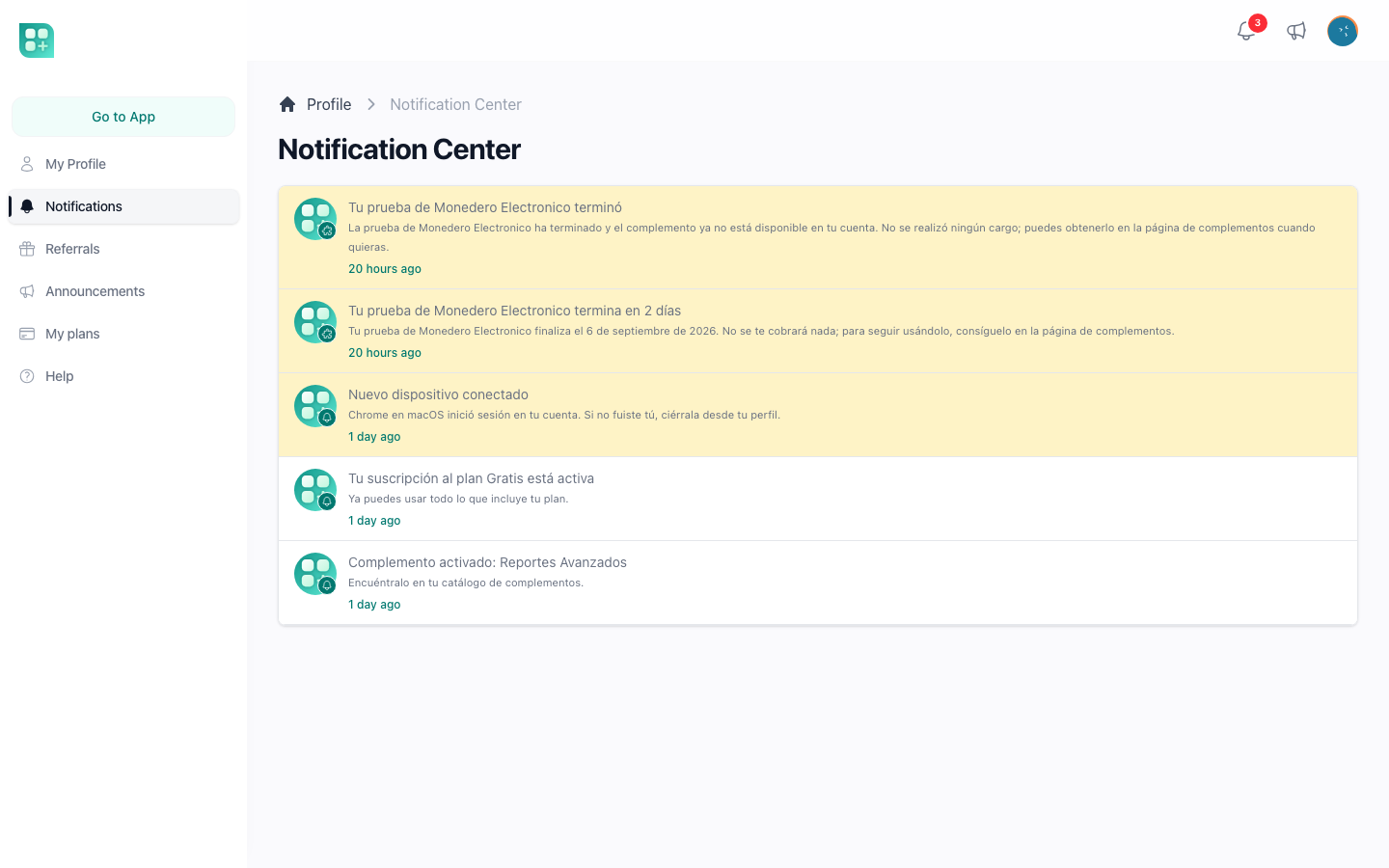
Rows are App\Models\DatabaseNotification, Laravel's model plus four accessors: is_read (read_at is set), image (the stored image through the b thumbnail, or config('app.icon') when there is none), url and target (_self by default).
Opening the centre marks nothing as read. That happens from the bell in the top bar, App\Livewire\Auth\Notifications\Notification: it shows the unread count, the ten first notifications grouped by day, and clicking one marks it read while Mark as Read marks every unread one. How notifications are created and which channels they take is in /help/send-notifications.
Announcements
With FEATURE_ANNOUNCEMENTS=true, the header shows a megaphone, App\Livewire\Auth\Announcements\Dropdown, with the count of unread announcements (9+ past nine) and the ten latest published. /account/announcements lists them ten per page with the first 150 characters of each, and the announcement page renders the full Markdown with its publication date.
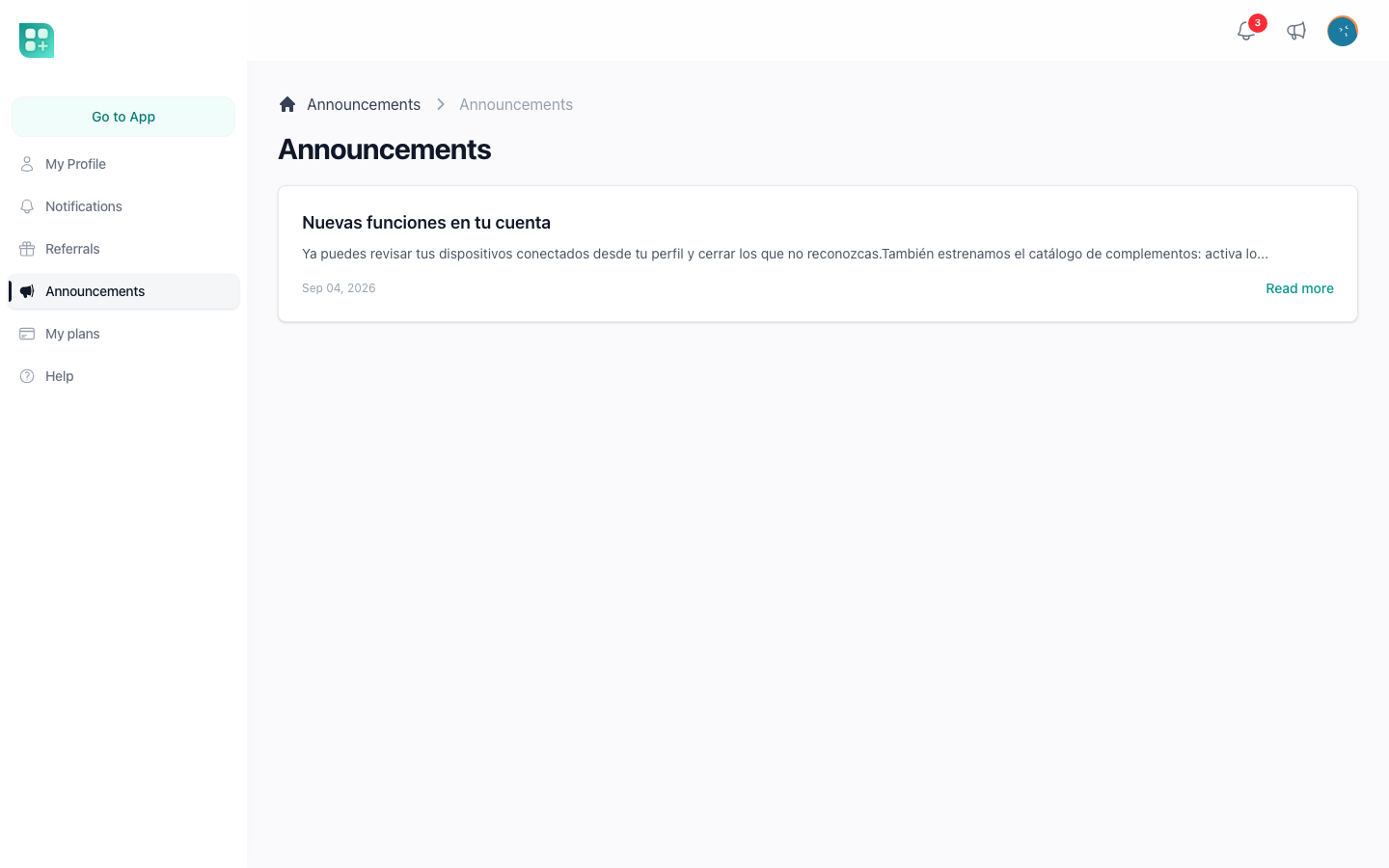
Read state is one timestamp, users.last_announcement_read_at: an announcement is unread when it was published after it. Opening any announcement page sets it to now, and so does Mark as Read in the dropdown, so both mark everything as read at once; the list page changes nothing. Writing and publishing announcements is in /help/announcements.
Referrals
With FEATURE_REFERRALS_ENABLED=true, /account/referrals shows the person's referral link with a Copy link button, the registration reward and the paid subscription reward percentage, the virtual money they have generated, and a table of the users who registered with their link. The program, its rewards and its cookie are in /help/referrals.