

The security PIN
A four-digit code people set once and type before sensitive actions.
The PIN is a second secret, shorter than the password, that a person types to confirm an action from inside the application. It is off by default. This guide covers turning it on, what it asks of your users, how you require it from your own code, and how it is reset.
What it is
Four digits, exactly. It is stored hashed in the pin column of users, with the same hashing as the password, so it cannot be read back, not even from the admin panel. Setting a PIN with anything other than four digits is refused with "PIN must be 4 digits", and an empty value leaves the stored PIN untouched.
Turning it on
AUTH_ENABLE_PIN=true
That is the whole switch: enable_pin in config/auth.php, false by default. Four things change:
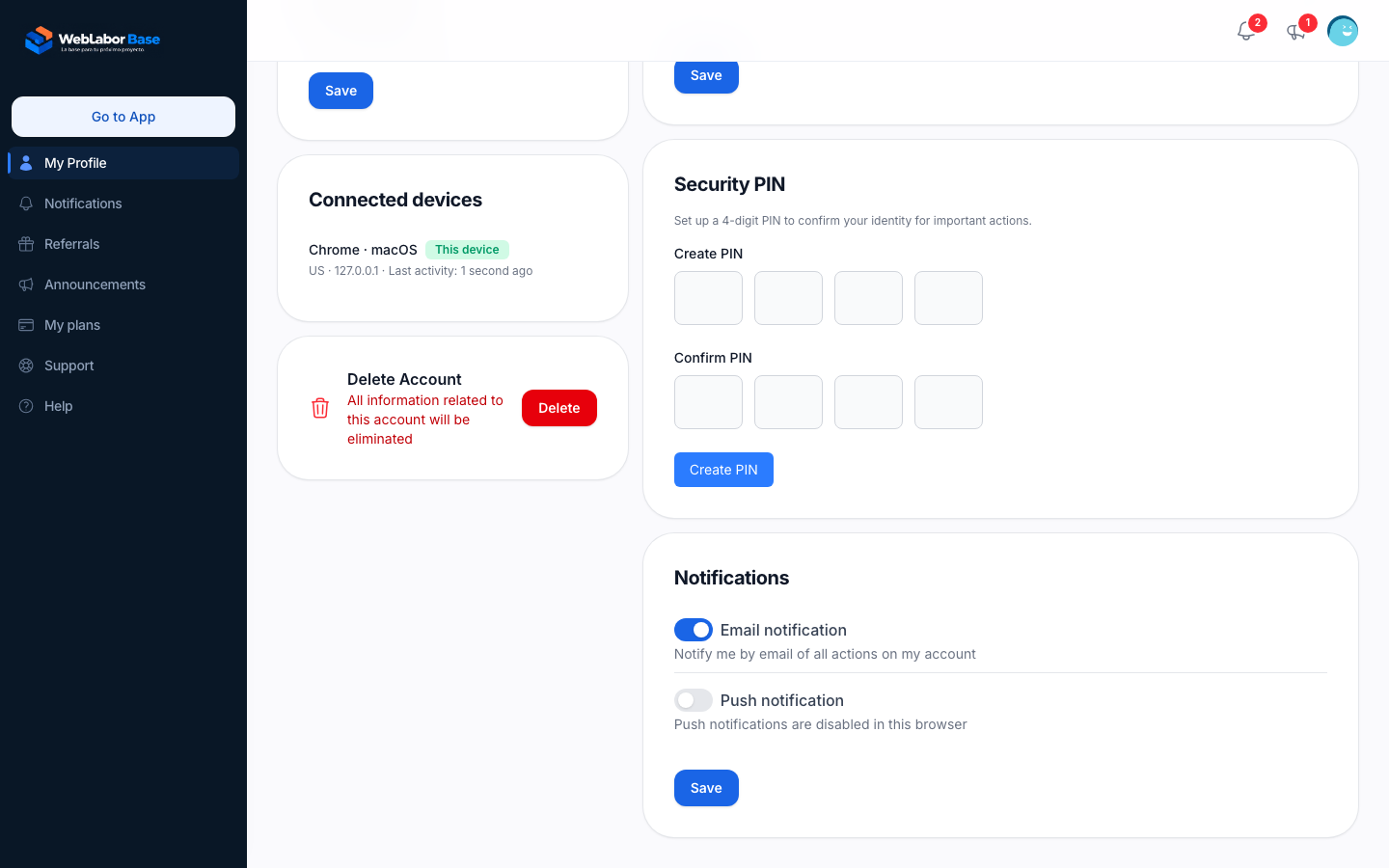
- A "Security PIN" card appears in the profile at
/account, with the text "Set up a 4-digit PIN to confirm your identity for important actions." and the form to create it. - Every signed-in person without a PIN sees a warning bar at the top of the application on each page: "Need to configure a PIN for your account." with a "Configure PIN" link to the profile. The bar goes away once the PIN is saved. Nothing is blocked in the meantime.
- The confirmation dialog described below asks for the PIN instead of the password.
- The user form of the admin panel gains a "Pin" field and a "Reset Pin" action.
Turning it off hides all of it. Stored PINs are kept and simply ignored.
What the person does
In the "Security PIN" card, four boxes under "Create PIN" and four under "Confirm PIN", one digit each, and a "Create PIN" button. Once a PIN exists the card asks for the "Current PIN" before a "New PIN" and lets the person update it. There is no "forgot my PIN" path: a lost PIN is reset by an administrator. The card, with the rest of the profile, is described in /help/your-account-area.
Requiring the PIN from your own code
The kit gives you a confirmation dialog you open from any Livewire component with the trait App\Traits\ConfirmsUserActions:
use App\Traits\ConfirmsUserActions;
use Livewire\Component;

class CloseProject extends Component
{
    use ConfirmsUserActions;

    public function close(int $projectId)
    {
        $this->requiresUserConfirmation('performClose', ['projectId' => $projectId]);
    }

    public function performClose($user, int $projectId)
    {
        // Runs only after the PIN, or the password, was confirmed.
        // $user is the confirmed App\Models\User.
    }
}
requiresUserConfirmation($method, $params) opens the modal "Confirm Action". What it asks for depends on the configuration and on the person:
| Situation | Field |
|---|---|
AUTH_ENABLE_PIN=true and the person has a PIN |
"PIN", four digits |
AUTH_ENABLE_PIN=true and the person has no PIN yet |
"Password" |
AUTH_ENABLE_PIN=false |
"Password" |
So the PIN protects an action only for people who set one; until then the password does the job. On success the modal closes and your $method is called with the confirmed user first and your $params after, in order. A wrong value answers "Invalid credentials." and the modal stays open. Cancel closes it and nothing runs.
The modal also works for a visitor who is not signed in: it then adds an identity field labelled with the identities of LOGIN_IDENTITIES, such as "email / phone", looks the account up, and asks for the PIN when the feature is on, or the password otherwise.
No screen of the kit opens this dialog on its own today. It is there for the actions of your application.
The trait App\Traits\HasPin
The User model carries the trait; call these on any user:
| Method | Returns |
|---|---|
hasPin() |
true when a PIN is stored |
requiresPin() |
true when the feature is on and this person has no PIN yet; the condition behind the warning bar |
validatePin(string $pin) |
true when $pin matches the stored hash; false when nothing is stored |
resetPin() |
Clears the PIN and flashes "The user pin has been reset successfully." |
Setting the PIN is a plain assignment; the trait hashes it and enforces the four digits:
$user->pin = '1234';
$user->save();
Resetting a PIN
- The person: from the "Security PIN" card, with the current PIN.
- An administrator: at
/admin/users, the user's page has a "Reset Pin" action, with a key icon, that clears the PIN; the person is back to the warning bar and creates a new one. The user form also has a "Pin" field, empty on every load because the hash is never shown: type four digits to set a new PIN for the account, leave it empty to keep the current one. Both appear only whileAUTH_ENABLE_PIN=true, and the action only for theadminrole. - Your code:
$user->resetPin().