

Free trials and coupons
Let a new subscriber try a paid plan before paying, and accept Stripe promotion codes at checkout.
Two things soften the first payment: a trial period on every paid plan, and a promotion code field in Stripe Checkout. Both are switches in config/pricing.php, read from the environment, and both act only at the moment a subscription is created through Checkout.
| Option | Variable | Default | Effect |
|---|---|---|---|
| Free trial | BILLING_FREE_TRIAL_ENABLED |
false |
New paid subscriptions start with a trial instead of a charge. |
| Trial length | BILLING_FREE_TRIAL_DAYS |
14 |
Days of trial. 0 or less disables the trial even when enabled. |
| Coupons | BILLING_COUPONS_ENABLED |
true |
Checkout shows a field for a promotion code. |
How the trial works
The trial is generic: one length for every paid plan, applied when a user who has no subscription subscribes to a paid plan from /account/plans. It is not configured per plan, and it is not a trial on the customer that ends before a plan is picked.
What happens, step by step:
- The user clicks Subscribe on a paid plan. The Checkout session is created with a
trial_endof today plusBILLING_FREE_TRIAL_DAYS. Stripe requires that date to be at least 48 hours away, so a trial of one day becomes two. - Checkout asks for a card. Stripe collects a payment method even when the first payment is zero, and the kit does not override that, so a trial is never card-free.
- The subscription is created in Stripe with status
trialing, and the webhook stores it locally with itstrial_ends_at. From then on the user is subscribed: the plan shows as current, the limits apply,/appis open. - When the trial ends Stripe issues the first invoice and charges the card. On success the status becomes
activeandinvoice.paidarrives, which is when referral rewards and revenue are recorded. On failure the status becomespast_due, the billing screen shows Payment failed and the plan card offers Retry payment.
Where the trial does not apply:
- A free plan. There is nothing to defer, so a
0price is subscribed directly. - A plan change. Moving from a free plan to a paid one, even when it goes through Checkout to collect the card, carries no trial; neither does an upgrade or a downgrade.
- A returning subscriber whose subscription ended. Subscribing again creates a new Checkout, and the code applies the trial to it like any other new subscription; the kit does not remember that a trial was already used. If you sell trials once per customer, enforce it in Stripe's own settings.
The trial also covers the add-on bootstrap: when a user with no subscription buys a paid add-on, Checkout opens with the free plan plus the add-on, and the same trial is applied to that session. See Sell add-ons.
With the trial on and plans live, the plan cards, on /account/plans and on the landing page, show the line "Start with a free trial of :days days!" above the interval switch.
What the user sees during and after the trial
On /account/billing the status badge reads the Stripe status, Trialing, and Next payment shows the date the trial ends, read live from Stripe. Cancelling during the trial follows the ordinary rule, cancel at period end: Stripe ends the subscription when the trial ends and nothing is charged.
The kit sends no email about a trial that is about to end, and it does not handle the customer.subscription.trial_will_end event. Reminders come from Stripe: its customer email settings in the Dashboard include a trial-ending email, sent a few days before the first charge; turn it on there. A payment that needs the customer's authentication is the one case the kit can email about, through CASHIER_PAYMENT_NOTIFICATION; see Turn on plans and billing.
Who is on trial
The admin panel has no trial filter. Where a trial is visible:
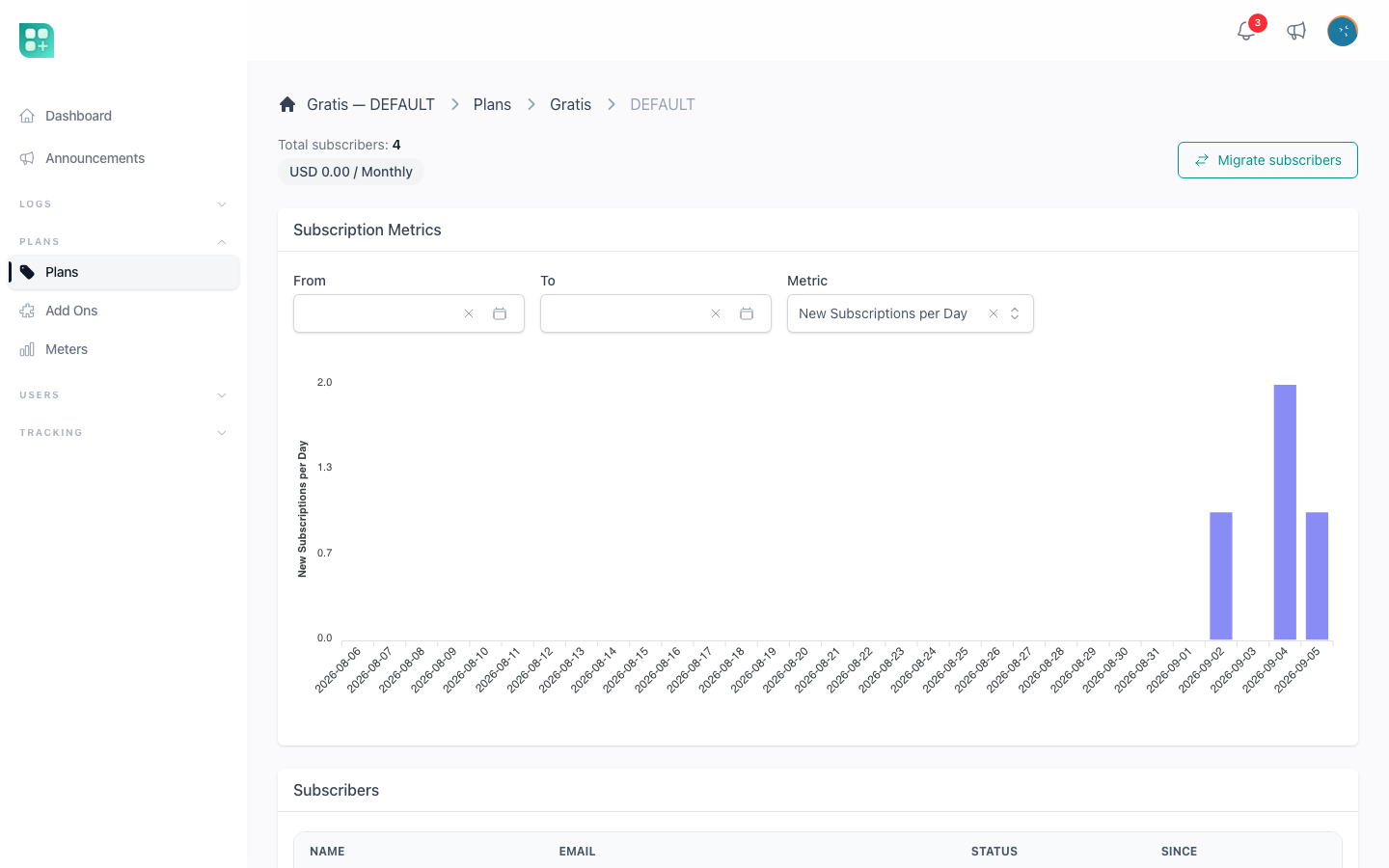
- The pricing page of a plan,
/admin/billing-plans/{id}/pricing/{country}, lists its subscribers with a Status column; a trial showstrialing, and turnsactiveafter the first payment. - The users list counts a trialing subscription as a current plan, so the Current Plan column and the Plan filter include them.
- The admin dashboard metric Subscriptions Created counts a subscription on the day it was created, trial or not. Daily Revenue only counts paid invoices, so a trial appears there the day it is first charged.
- In the database,
subscriptions.stripe_statusistrialingandsubscriptions.trial_ends_atholds the end date. In code,$subscription->onTrial().
Trials on add-ons
The entitlement table that grants add-ons knows a trial source, with a start and an end date, and the resolver honours it: an account with such a row has the capability until the row expires. Nothing in the catalogue creates one; it exists for your own code, $account->grantAddOn('feature_key', 'trial', ['ends_at' => now()->addDays(14)]). When it expires the capability is withdrawn on the next check, and no notification is sent.
Coupons and promotion codes
With BILLING_COUPONS_ENABLED on, the Checkout session is created with allow_promotion_codes, and Stripe shows an Add promotion code field on the payment page. The kit has no coupon screen of its own: create the coupon in the Stripe Dashboard, under Product catalog, Coupons, and give it a promotion code, which is the text the customer types. Stripe applies the discount, the invoice reflects it, and the SubscriptionPaid event carries the discounted amount, so referral rewards are computed on what was actually paid.
The field appears on the two Checkouts a plan can open: a new paid subscription, and the change from a free plan to a paid one without a saved card. It is not offered on the add-on Checkout, and a plan change that happens inside the application, a swap between paid plans or an interval change, never shows Checkout and therefore never asks for a code. Turning the option off hides the field; coupons already attached to a subscription keep applying, because they live in Stripe.