

Configure sign-in and registration
Choose how people identify themselves and when their identity is verified.
Everything about how a person gets into your application is decided in config/auth.php, and every option there reads an environment variable, so you set it from .env without touching the file. This guide goes through each option, what it changes on screen, and the combinations that work well together.
The options at a glance
| Option | Env variable | Default | Values |
|---|---|---|---|
approach |
AUTH_APPROACH |
CreationValidation |
Normal, CreationValidation, LoginValidation |
login_steps |
AUTH_LOGIN_STEPS |
one |
one, two |
enable_register |
AUTH_ENABLE_REGISTER |
true |
true, false |
enable_validation |
AUTH_ENABLE_VALIDATION |
true |
true, false |
enable_pin |
AUTH_ENABLE_PIN |
false |
true, false |
validation_provider |
AUTH_VALIDATION_PROVIDER |
aws |
aws, telnyx |
login_identities |
LOGIN_IDENTITIES |
email |
comma-separated email, phone, username |
password_timeout |
AUTH_PASSWORD_TIMEOUT |
10800 |
seconds |
mail_fallbacks |
none, edit the file | ['mailgun'] |
mailer names from config/mail.php |
The file also keeps the standard Laravel keys: AUTH_GUARD (web), AUTH_PASSWORD_BROKER (users), AUTH_MODEL (App\Models\User) and AUTH_PASSWORD_RESET_TOKEN_TABLE (password_reset_tokens). Leave them alone unless you add a second guard or a second user model.
The screens
All of them share one layout: the application icon, a title, and a white card with the form.
/login— "Welcome back". One field labelled with the identity you allow, a password field, a "Remember me" checkbox, a "Forgot password?" link and a "Sign in" button. Under the title, "Or create new account" links to registration./register— "Create your Account". Name, the identity fields, password and confirmation, a checkbox to accept the terms at/terms, and "Sign up"./password/reset— asks for an email and sends the reset link./account— the profile, where a signed-in person edits the same identities, changes the password, sets the PIN and sees the connected devices.
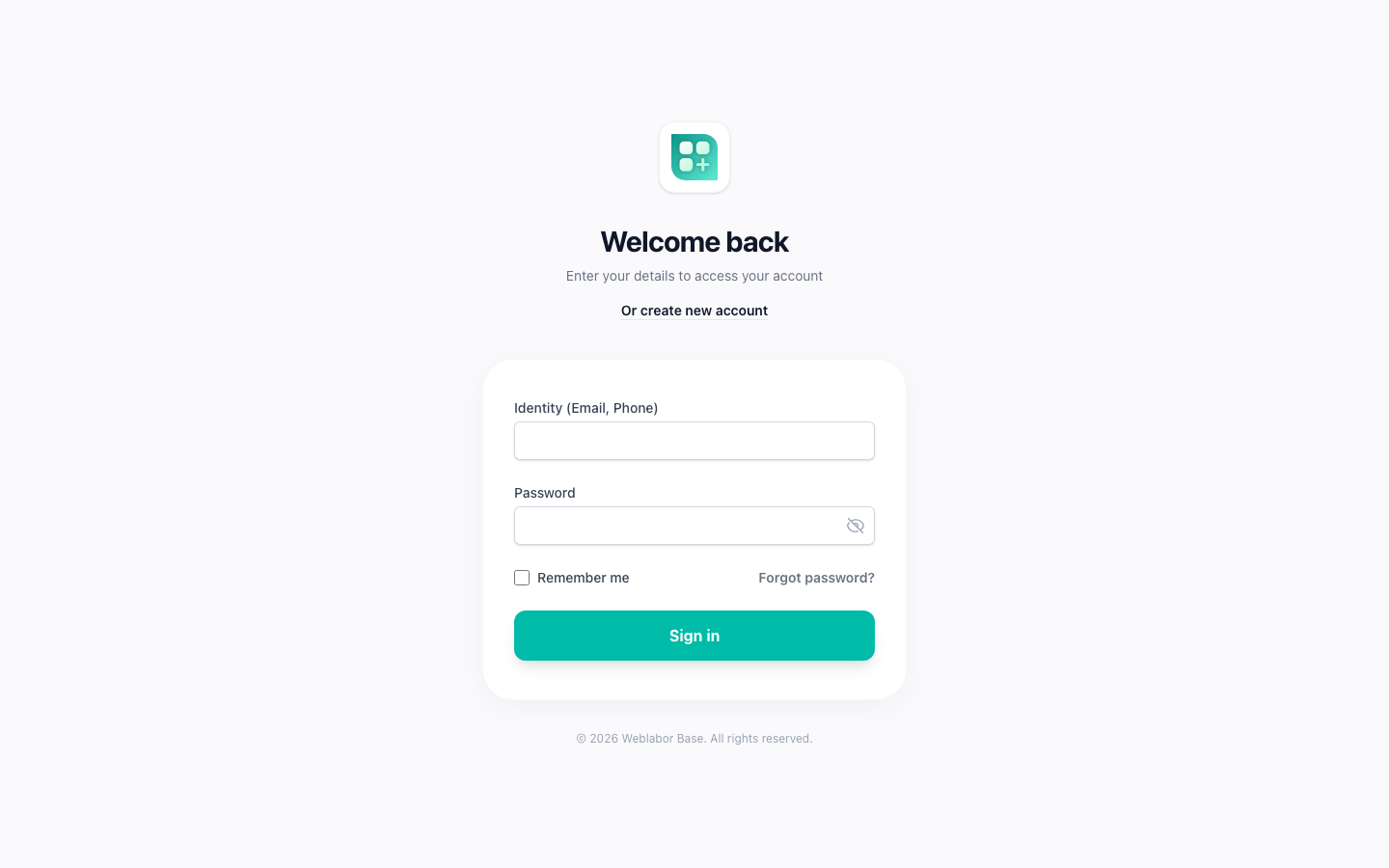
After signing in, people land on config('app.home_route'), which is /app.
AUTH_APPROACH: when an unverified email blocks the sign-in
The value is read in exactly one place: the one-step sign-in, when the person identifies with an email that has never been verified.
| Value | What happens |
|---|---|
Normal |
Nobody is asked for a code at sign-in. An account with an unverified email signs in like any other. |
CreationValidation |
The sign-in stops before the session starts. A code is emailed, the card changes to "Please confirm your email" with a "Validation Code" field, and the session starts once the code is confirmed. The email is marked verified at the same time. |
LoginValidation |
Same as CreationValidation. The two names describe two intentions, verify at creation or verify at the first sign-in, but the code treats them identically, because registration verifies the email inline in every approach. |
Three things narrow when this check runs:
- It only runs when
AUTH_ENABLE_VALIDATIONistrue. - It only runs when the person identified with an email. A sign-in by phone or username never asks for an email code.
- It only runs in the one-step sign-in. The two-step sign-in has its own rule: at step one, an email that is not verified is always sent to the code screen, whatever the approach and whatever
AUTH_ENABLE_VALIDATIONsays.
Registration is the same under the three values: while AUTH_ENABLE_VALIDATION is on, the identity is verified with a code inside the form, as described in /help/verify-email-and-phone.
AUTH_LOGIN_STEPS: one screen or two
one is the classic form: identity and password together.
two splits it. Step one shows the identity field and a "Continue" button. What comes next depends on the account:
- The identity is not found. If registration is enabled, the person is redirected to
/registerwith the value pre-filled; otherwise they see "Wrong credentials". - The identity is an email that was never verified: a code is emailed and the code screen appears. When the code is confirmed, the flow resumes at this list.
- The account has no password yet, because your own code created it without one: step three asks for a "New Password" with a "Create password" button, saves it and signs the person in.
- Otherwise step two shows the password, "Remember me" and "Forgot password?".
That is why the mode exists. Your application can create accounts before people ever visit, an admin adds a customer or an import brings a list, and the first visit verifies the email and creates the password without a separate onboarding screen. In two-step mode the "Or create new account" link is not shown under the title, because the redirect at step one does that job.
AUTH_ENABLE_REGISTER
true keeps /register open. false makes it answer 404, hides the "Or create new account" link on the sign-in screen, and makes the two-step sign-in answer "Wrong credentials" to an unknown identity instead of redirecting to registration. Accounts are then created from the admin panel at /admin/users.
AUTH_ENABLE_VALIDATION
true, the default: the sign-in check described under AUTH_APPROACH runs, and the email and phone fields of registration and of the profile show their verification row, the "Verified" badge and the "Verify now" link that sends the code. Registration refuses to create the account, and the profile refuses to save a changed identity, until the code is confirmed.
false: the sign-in check is skipped and neither field shows the verification row. Registration and the profile then accept the email and the phone as typed, and an identity saved that way is treated as verified. Nothing else changes: the two-step sign-in still asks for a code when the email of an existing account was never verified.
The switch governs both channels equally, so registration by phone works with it off as well as on. Turn it off when your product does not need to prove that the address or the number is real; leave it on when it does.
AUTH_ENABLE_PIN
true adds a four-digit PIN to every account: a "Security PIN" card appears in the profile, a warning asks everyone without one to set it up, and the PIN replaces the password in the confirmation dialog your own code can open before a sensitive action. Off by default. The PIN has its own guide: /help/the-security-pin.
AUTH_VALIDATION_PROVIDER
Who carries the phone codes: aws sends an SMS through Amazon SNS, telnyx sends an SMS or places a call through Telnyx Verify. Email codes always travel through your mailer. Credentials and details are in /help/verify-email-and-phone.
LOGIN_IDENTITIES: what a person signs in with
A comma-separated list of email, phone and username. Anything else in the list is ignored, and an empty list falls back to email.
LOGIN_IDENTITIES=email
LOGIN_IDENTITIES=email,phone
LOGIN_IDENTITIES=email,phone,username
On the sign-in screen
There is always one identity field. Its label names what it accepts: "Email", "Phone" or "Username" when there is one identity, "Identity (Email, Phone)" when there are several. The value is classified before the lookup, in this order:
- If
phoneis allowed and the value parses as a phone number, it is a phone. The number is normalised to international format before the query, so55 1234 5678and+52 55 1234 5678find the same account. A number typed without+is completed with the country of the signed-in account, of the visitor's detected country, or ofCOUNTRY_CODE_FALLBACK, which isUSby default. - If
emailis allowed and the value is a valid email, it is an email. - If
usernameis allowed and the value is not an email, it is a username.
With a single identity the field is also validated as such: an email must look like an email, a phone must be a phone. With several, the value must fit at least one of them or the form answers "The identity must be a valid email or phone".
On the registration screen
With one identity the form opens directly on that field. With several, the card first asks "How do you want to sign in?" and shows one button per identity: Email, Phone, Username. Picking email or phone opens the form with that field; picking the other one replaces it, so an account is created with one channel, not both. Username is an add-on: picked alone, the question changes to "Select an additional method to sign in" and the form waits until email or phone is also picked. A caption such as "Signing up with Email and Username" and a back arrow sit above the form.
The fields are Name, Username (letters, digits, dashes and underscores; unique), the email field with its verification, the phone field labelled "Phone (Include country code)", Password and Confirm Password (at least eight characters), and the terms checkbox. Every account created here receives the client role, which the seeder guarantees exists.
Every account has a username even when username is not in the list: when none is given, one is generated in the shape user0001 from the next id. It is shown, and editable, only when username is configured.
In the profile and the admin panel
The profile at /account shows the identity fields that are configured and lets the person change them; while AUTH_ENABLE_VALIDATION is on, a new email or phone goes through the same verification code before it can be saved. The user form at /admin/users shows the same subset. Both refuse to save an account that ends up with no identity at all: "Please provide at least one valid identity".
A phone is stored in international format wherever it is saved, so the same line typed as 55 1234 5678 here and as +52 55 1234 5678 somewhere else is one number and one account. A number that cannot be converted is refused with "Invalid Phone" rather than stored as typed.
Why username never goes alone
When several identities are configured, the registration form refuses to create an account whose only identity is a username, and the profile refuses to save one; the message is "You must provide at least one of the following: email, phone". The reason is that a username has no channel behind it. Verification codes go to an email or a phone, and the password reset form only takes an email, so an account known only by its username could never prove who it is or get back in after losing its password.
Nothing stops you from writing LOGIN_IDENTITIES=username on its own. The form then shows a single username field and the check above is skipped, because there is nothing else to require, but you inherit the consequence: no verification and no self-service password recovery for anyone. Pair it with email or phone.
Common configurations
| Goal | .env |
|---|---|
| Classic email and password, verified at registration | LOGIN_IDENTITIES=email and the defaults |
| Phone-first, code by SMS or call | LOGIN_IDENTITIES=phone, AUTH_VALIDATION_PROVIDER=telnyx |
| Email or phone, plus a public username | LOGIN_IDENTITIES=email,phone,username |
| Invite-only, accounts created by an admin and verified on first visit | AUTH_ENABLE_REGISTER=false, AUTH_LOGIN_STEPS=two |
| Open registration, no code asked again at sign-in | AUTH_APPROACH=Normal, LOGIN_IDENTITIES=email |
| Internal tool behind a PIN | AUTH_ENABLE_REGISTER=false, AUTH_ENABLE_PIN=true |
Password recovery
"Forgot password?" leads to /password/reset, which asks for the account's email and sends Laravel's reset link. The link is valid for 60 minutes and a new one can be requested every 60 seconds (passwords.users.expire and throttle in config/auth.php). The link opens /password/reset/{token}, which asks for the new password twice, saves it, invalidates the "Remember me" tokens and signs the person in. Passwords must have at least eight characters.
Recovery only works with an email. An account registered only by phone gets a new password from an administrator, who sets it in the user form of the admin panel.
Signed in, a person changes the password from the profile, described in /help/your-account-area.
Sessions and devices
"Remember me" at sign-in keeps the person signed in across browser restarts through the remember token. Every sign-in also becomes a row in the sessions table, which needs SESSION_DRIVER=database, already set in .env.example, and which the profile lists as "Connected devices" so a person can close a session they do not recognise without changing the password. That screen, with the rest of the profile, is described in /help/your-account-area.
Accounts created by an administrator
When an admin creates a user with a password at /admin/users, the person receives a welcome email with the email, the password, and a "Login" button that opens /login?fromEmail=1. Signing in from that link marks the email as verified. The account is also flagged for a forced password change: the first request after sign-in redirects to /password/request, "Change your password", which asks for the current password and then for a new one that must differ from it. Your own code can flag any account with $user->requestForNewPassword().
Accounts can also come from an Excel file at /admin/users/import, the same columns the users export writes. A row with an ID updates that account and changes only the columns the file brings: a file with just ID and Name renames people and leaves their password, identities and role alone. A row without an ID creates an account under the same rules as the form: it needs at least one valid identity, and an email, phone or username already in use is refused with the form's message, while the other rows are still imported. The password never travels in the file, so a created account gets a random one that is shown nowhere, and no welcome email is sent. The person gets in with "Forgot password?". The import never changes roles; assign them from the form.
An administrator can also block an account with the "Block user" action. A blocked person is signed out on the next request and reads "You are blocked, please contact support." on the sign-in screen.
Options that exist but do nothing yet
AUTH_PASSWORD_TIMEOUTand the/password/confirmscreen are Laravel's password confirmation. No route in the kit uses thepassword.confirmmiddleware, so the value is available but not used by any feature of the kit. Sign-in does record the confirmation time, so a route of yours protected with that middleware works./email/verifyand its signed link are Laravel's link-based verification. The kit verifies with codes instead and nothing sends that link; the screen exists but no flow leads to it.