

Create and price a plan
Build a plan in the admin panel, price it per country and interval, and follow what a subscriber can do with it.
A plan is what a user subscribes to. This guide covers creating one from the admin panel, its prices, how it is withdrawn from sale, and every move a subscriber can make: subscribe, upgrade, downgrade, cancel, come back. It assumes billing is on; if the admin sidebar has no Plans group, start with Turn on plans and billing.
How a plan is stored
One plan is one row in billing_plans and one Stripe Product, named APP_NAME - Plan name. Its prices are rows in billing_prices, one per country and currency, and each of those has one row in billing_price_variations per billing interval, holding the amount and the Stripe Price id. A subscription points at a Stripe Price, so the current plan of a user is resolved from the price on the subscription item, never from a plan id stored on the subscription.
A user has one subscription, named default, with exactly one plan price on it and zero or more add-on prices. Every helper assumes that shape.
Create the plan
Go to Plans, Plans, Create. The form has five blocks.
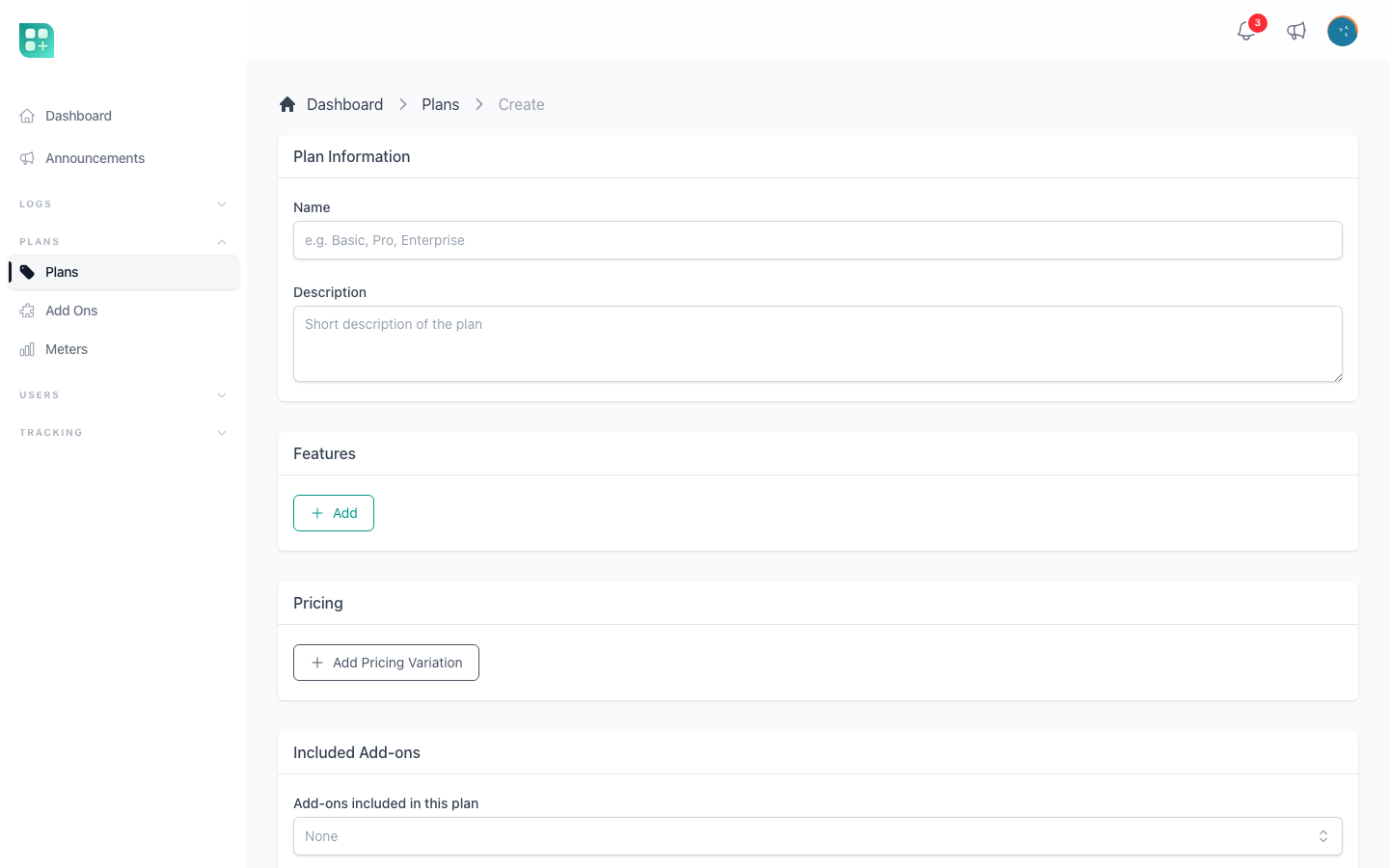
| Block | Fields | Notes |
|---|---|---|
| Plan information | Name, Description | Both required. They are what the plan card shows. A Context select appears only when a second billing adapter is registered, to restrict the plan to users or to the other owner. |
| Features | Free-text lines | Each line becomes a check mark on the card. Purely descriptive; nothing reads them. |
| Pricing | One pricing variation per country | Detailed below. Required: at least one variation with at least one amount. |
| Included add-ons | Multiselect of the add-ons | Capabilities the plan grants at no extra line on the subscription. See Sell add-ons. |
| Limits | Limit key, Limit value | One row per quota. The keys are the public methods of App\Classes\PlanLimits; each key once. See Plan limits and usage. |
Saving creates the Stripe Product and one Stripe Price per amount, and redirects to the plan list. If STRIPE_SECRET is missing the form says so in a warning at the top; set it before creating plans, since every price is a Stripe object.
The plan also gets a slug from its name. It is internal metadata written into the Stripe Product and is not shown anywhere, except as the key of a plan declared in code.
Pricing
Click Add Pricing Variation. Each variation is one Country and one Currency, with one amount field per interval. A plan sold at 199 MXN a month in Mexico and 12 USD a month everywhere else is two variations: MX - Mexico in MXN, and All in USD. Each country can appear once per plan.
- Country is
All(stored asdefault) or one of the listed countries. The user sees the variation for their country when there is one, andAllotherwise. The country comes from the user'scountry_code, then from country detection, then fromdefault. Resolution stops there: a user whose country has no variation and for whom there is noAllvariation is shown nothing, never another country's amount in another country's currency. Casing does not matter —MXandmxare the same country. - Currency is one of the listed ISO codes. It is the currency Stripe charges in; no conversion happens at sale time.
- Each amount creates a recurring Stripe Price for that interval. Stripe Prices are immutable, so once saved the field is disabled. To change an amount, remove the price with the cross above the field and type the new one: the old Stripe Price is archived and a new one created. The cross is only offered while no subscription uses that price.
- The trash button removes the whole variation; it is only offered when none of its prices has subscribers.
- An amount of
0is a free plan. Keep one: when several apply, a new account is put on the one priced for its own country before anAllone, and on the oldest of those, so the rest are never handed out at registration. The plan list warns you when more than one free plan exists.
The interval columns come from config/pricing.php, monthly and yearly by default; adding an entry there adds a column here, and the currency list, the country list and the exchange rates are all explained in Currencies, intervals and exchange rates.
Once a variation is saved, the eye button next to it opens a modal with its subscriber count, its prices and a chart, and an Open full page link to /admin/billing-plans/{id}/pricing/{country}.
Declare a plan in code
Instead of capturing a plan by hand in every environment, you can describe it once in database/seeders/PlanSeeder.php. The deploy already runs the seeders (php artisan db:seed --force), so the plan is created on the first deploy and kept up to date on every one after that. Weblabor Base ships the seeder empty.
Each entry is keyed by the plan's slug:
$plans = [
    'pro' => [
        'name' => 'Pro',
        'description' => 'Short text shown on the pricing page.',
        'prices' => [
            ['country' => 'default', 'currency' => 'usd', 'units' => null, 'intervals' => ['monthly' => 19, 'yearly' => 190]],
            ['country' => 'mx', 'currency' => 'mxn', 'units' => null, 'intervals' => ['monthly' => 349]],
        ],
        'defaults' => ['features' => ['Everything in Basic']],
    ],
];
name, description and prices are kept in step with the code; each price row is one pricing variation, with one amount per interval. defaults holds anything else the form captures, such as the feature lines, and is applied only when the plan is created — after that it is yours to change in the panel. A key you leave out of the entry is left as it is. Add-ons can be declared the same way; see Sell add-ons.
What the panel lets you change
A plan created by the seeder opens with a Managed by code notice. Its name, description and prices are read-only there, and each deploy puts them back to what the code says. The features, the included add-ons and the limits stay editable.
Prices follow the code without churning Stripe: an amount that did not change keeps its Stripe price, and a changed amount replaces it exactly as removing it and typing the new one would. The same limit applies too: an amount that has subscribers cannot be replaced, so it stays as it was until they move off it — use Migrate subscribers, below, to move them.
Release it from code
When you want to manage a plan by hand from then on, press Release from code in the notice and confirm. Every field becomes editable and the seeder never touches that plan again, even though its entry is still in the code. This cannot be undone from the panel.
What the seeder never touches
The seeder only updates what it created. A plan that already existed, or that somebody created in the panel, is never taken over, even when an entry in the code uses its slug: the seeder leaves it alone and prints a warning during the deploy. A plan the seeder created and somebody then deleted is not brought back either.
What a country with no price sees
Pricing two countries and forgetting the All variation is the easiest mistake to make here, and it used to be invisible: the visitor got an empty screen and nobody was told. Now every screen says what is happening, and nothing is ever quoted or charged at another country's rate.
| Where | What the user sees |
|---|---|
| The plans page, and the pricing block on the landing | "No plans for your country yet", with a line explaining that prices have not been published for their country and inviting them to write to you. |
| An add-on's detail page | "Not on sale in your country" in place of the price, and every way of getting it — subscription, tiers, per unit, buy for life — says "This add-on is not on sale in your country yet" and offers a disabled button. |
| The add-ons catalogue in the account | The add-on is left out of the list. The search box and the category filters stay on screen, so a search that matched nothing can be cleared. |
| A meter card | "There are no units packages on sale in your country yet" instead of the buy buttons. |
| Usage billed at the end of a cycle | "Not charged: no price for your country". The usage is still measured, and the closed period is listed as Not billed; nothing is sent to Stripe. |
A plan priced only for other countries also shows as Not available in the admin panel instead of Free, which is what it used to say.
Warnings in the admin panel
Three warnings tell you that a catalogue leaves somebody out. None of them stops you from saving: selling in two countries only is a decision you are allowed to make.
- On every pricing form — plans, add-ons and meters — when the variations cover named countries and none of them is
All: "No price for the rest of the world". - On the plan list, when no plan in the whole catalogue has an
Allvariation: anyone from another country sees no plan at all and cannot subscribe. - On the plan list, when more than one free plan exists, explaining which one a new account gets.
The first one answers for the form in front of you; the second asks the question no single plan can answer, because a plan sold in Mexico alone is perfectly legitimate as long as some other plan covers everybody else.
Where the plan appears
A plan is on sale the moment it is saved with a Stripe price. It shows on /account/plans for signed-in users and in the pricing section of the landing page, under the interval switch. The switch lists only the intervals that at least one plan has priced and that are marked active in config/pricing.php; a user who already subscribes sees their own interval selected.
Withdraw a plan from sale
There is no on-sale toggle on plans; the catalogue is what has a Stripe price. Three operations exist, and each one refuses when it would break a subscriber:
- Remove a price: the cross on the amount, only while nobody subscribes to it. The Stripe Price is archived, so it can no longer be bought, and the plan stops showing for that interval or country.
- Delete the plan: from the plan list, only when it has no prices left. The Stripe Product is archived and the row is soft-deleted.
- Migrate the subscribers: on the pricing page, Migrate subscribers opens a modal where you tick the subscriptions to move, or none to move them all, then pick a destination plan and one of its prices. The move runs in a queued job,
MigrateSubscriptionsToPlan, so the queue must be running; each subscription is swapped to the destination price, keeping the add-ons that exist in the same currency and interval, with Stripe's default proration. Nothing is emailed to the subscribers.
So the sequence to retire a plan that people use is: create the replacement, migrate the subscribers to it, remove the old prices, delete the old plan. Subscriptions and invoices keep referencing the archived Stripe Prices, which is why deletion is guarded.
Follow the subscribers
The pricing page of each variation lists its subscribers with name, email, status and start date, and charts New Subscriptions per Day, Cumulative Subscriptions and Estimated Revenue per Day, the last one being new subscriptions times the average amount of that variation. The users list has a Current Plan column and a Plan filter. The admin dashboard has the global revenue and subscription metrics described in Turn on plans and billing.
What the subscriber can do
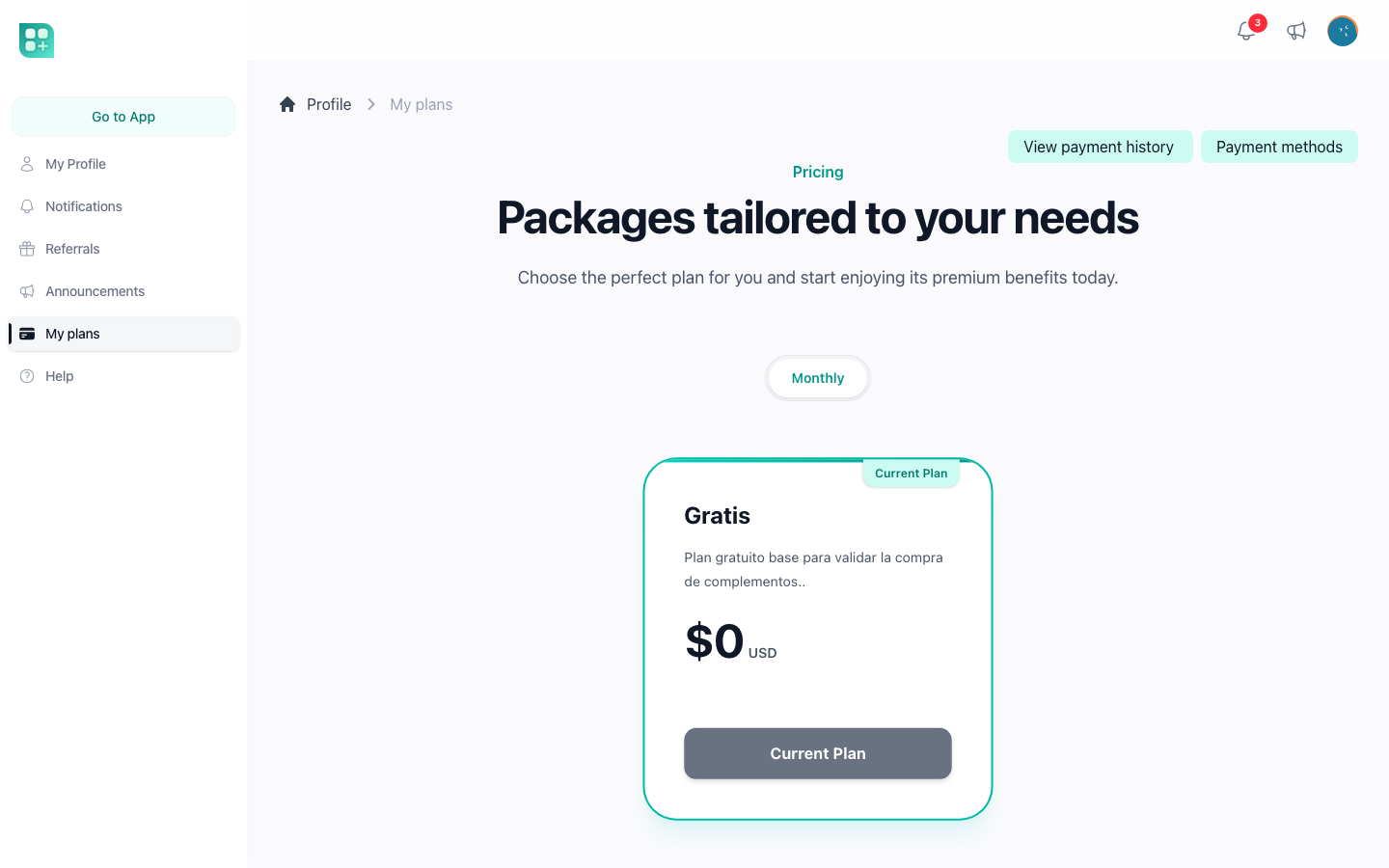
Every action lives on the plan cards at /account/plans; the button on each card depends on the user's subscription. The logic is PlanService in the package, reached from your own code as $user->subscribeToPlan($variation), $user->changeSubscriptionPlan($variation) and $user->subscription()->cancel().
Subscribe
Without a subscription every card says Subscribe. A free plan is subscribed on the spot, with no card. A paid plan opens Stripe Checkout; on success Stripe returns the user to /account/plans?checkout=success, which shows "Payment successful" and sends them to the dashboard while the webhook creates the local subscription. Checkout shows a promotion code field when coupons are on; see Free trials and coupons.
A new user is subscribed to a free plan at registration: the one priced for their own country when there is one, the All one otherwise, and the oldest of them when several apply. A free plan whose Stripe price was never created is skipped. Opening /account/plans repeats that check for a user who has no subscription at all, and changes nothing for a user who has one: the plan someone subscribed to stays theirs even when their country later stops matching the catalogue it was priced in. The country still decides which prices they are shown. When a subscription ends, the account goes back to its free plan on its own, and is told why on every screen when it cannot; see When your account is left without a plan.
Because the price depends on it, a user without a country in their profile has one detected on their next page, and is sent to /account and kept there only when that detection answers with nothing — every other page then sends them back, and only signing out is left. The admin panel is never affected, and neither is a project that does not sell subscriptions. See Detect the visitor's country.
Change plan
Every other card says Change plan. Before anything is sent to Stripe the destination plan's limits are checked against the user's current usage; exceeding one stops the change with the message "You have exceeded the limit for ...". Then:
| From | To | What happens |
|---|---|---|
| Free | Free | The price is swapped. |
| Free | Paid, no saved card | Checkout opens with the new plan plus the current add-ons, and the free subscription keeps running while the user is away paying. Closing the tab, backing out, or a bank that never confirms leaves them on the plan they already had. |
| Paid | Paid, higher, same interval | swapAndInvoice: the prorated difference is charged now. A declined card cancels the change: the user stays on the plan they had, no unpaid invoice is left, and the message says what the bank answered. The same holds from a free plan with a saved card. When the bank asks the user to approve the payment, Confirm your payment opens inside the app and the new plan applies only once it is approved; see Sell add-ons. |
| Paid | Paid, lower, same interval | swap without proration: the new price applies at the next renewal, no credit is issued. |
| Paid | Free | Cancelled at period end; the user keeps the paid plan until then and is not charged again. |
| Any | Different interval | The Stripe subscription is updated directly with proration_behavior: always_invoice, every add-on mapped to its price at the new interval. It fails if an add-on has no price at that interval, or if no valid payment method is on file. A payment the bank asks to approve waits for it in the same window. |
Add-ons on the subscription are kept through every change. Downgrades are measured by amount: a destination cheaper than the current plan price is a downgrade.
An account never carries two subscriptions. Whichever way a new one arrives — the Checkout Stripe confirms, the free plan handed to a user who has none, an add-on that opens the first subscription — the one that was running is ended at the moment the new one is confirmed, and not before.
Cancel and the grace period
The current paid plan's card says Cancel. Cancelling sets the subscription to end at the period end, so the user keeps access until the date they paid for. During that grace period the card reads Canceled with "Your subscription will remain active until ...", the billing screen shows Cancellation scheduled, and:
- Picking another paid plan is allowed and reactivates the subscription, because Stripe drops the pending cancellation when the items change. That is how a user resumes.
- Picking a free plan is refused: the subscription is already ending.
- Once the date passes, the subscription is ended and the user is put on the free plan of their country on its own. When there is none, or their usage is over its limits, every card says Subscribe again. Either way the billing screen shows when it was cancelled and by whom.
The cancellation date, its reason and the user who clicked are stored on the subscription (canceled_at, cancellation_reason, canceled_by). A cancellation made in the Stripe Dashboard arrives through the webhook and shows as "via Stripe".
Failed payments
When Stripe could not collect a renewal, the subscription is past_due; when the first payment never completed, incomplete. Both count as not active: the sidebar says "No plan", /app redirects to the plans, and the card reads Retry payment. Retrying pays the open invoice with the default card, or sends the user to Stripe's hosted invoice page when the bank asks for authentication. One retry attends to everything owed, the closed usage periods included, and reports the payment as still pending when any part of it did not go through.
The billing screen
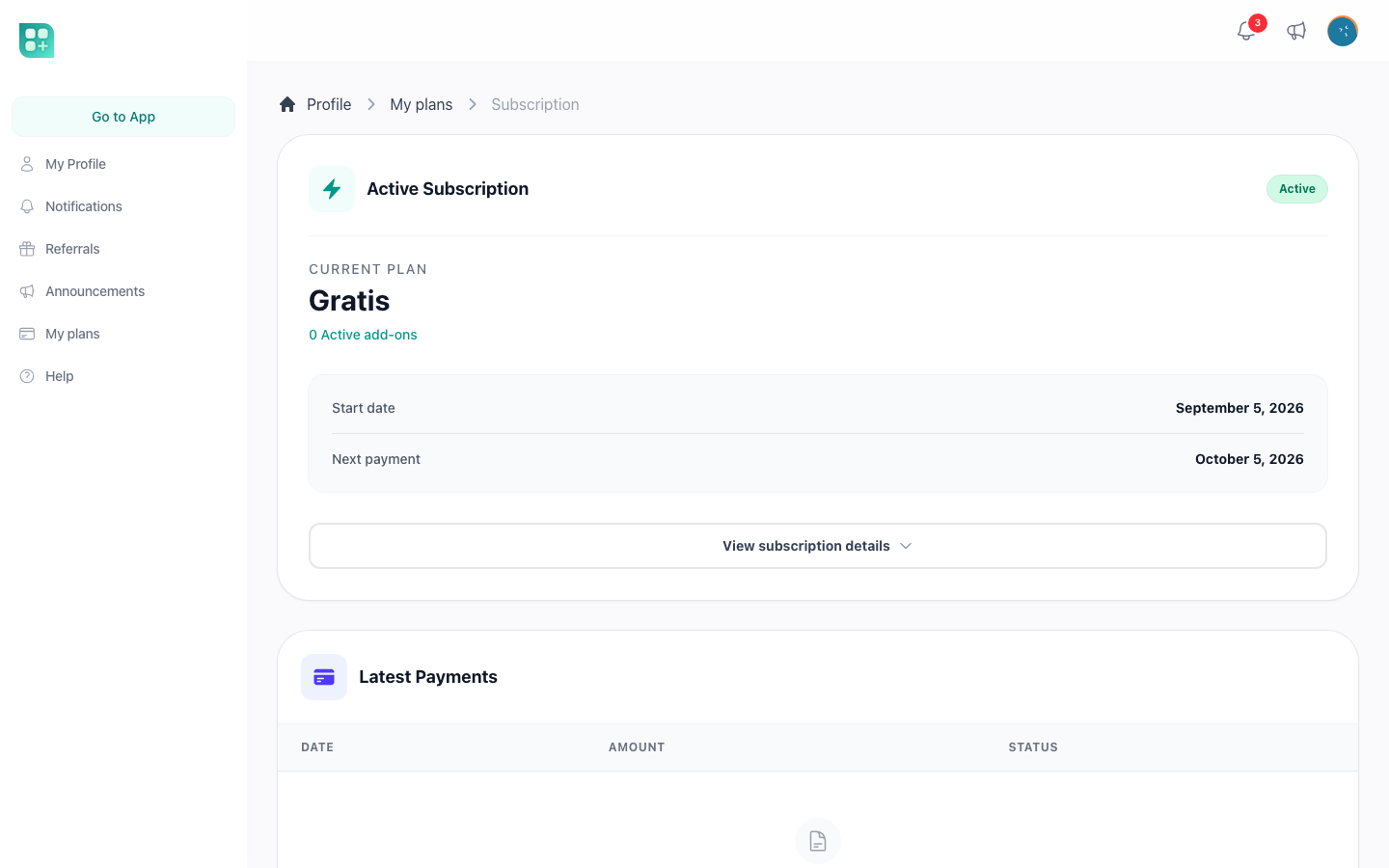
/account/billing shows the subscription state as a badge, the plan name, the number of active add-ons, the start of the current period and the next payment date read live from Stripe, a collapsible list of the add-ons with their prices, and the last ten paid invoices with date, amount and status. There is no PDF link; the amounts are formatted with CASHIER_CURRENCY_LOCALE.
/account/payment-methods lists the saved cards with brand, last four digits and expiry. A card is added through Stripe Elements against a SetupIntent, so no card number reaches your server; the first card becomes the default automatically. A card can be made default when there is more than one, and removed unless it is the last one or the default card of an active subscription.
Events for your code
Two events let the rest of the application react without touching billing:
WeblaborMx\BillingCore\Events\SubscriptionPaidon every paid invoice, with the amount, currency, invoice id and subscription id. The kit listens to it to pay referral rewards and record a tracking event.WeblaborMx\BillingCore\Events\PlanChangedwhen a user changes to a paid plan.
Both carry the billing context; check $event->adapterKey() === 'user' before acting on a user, so a listener stays correct if another billing owner is added later.