Sell plans without building a billing system
Price your plans per country and billing cycle, sell add-ons on top and let Stripe collect, while the account screens your users need are already there.
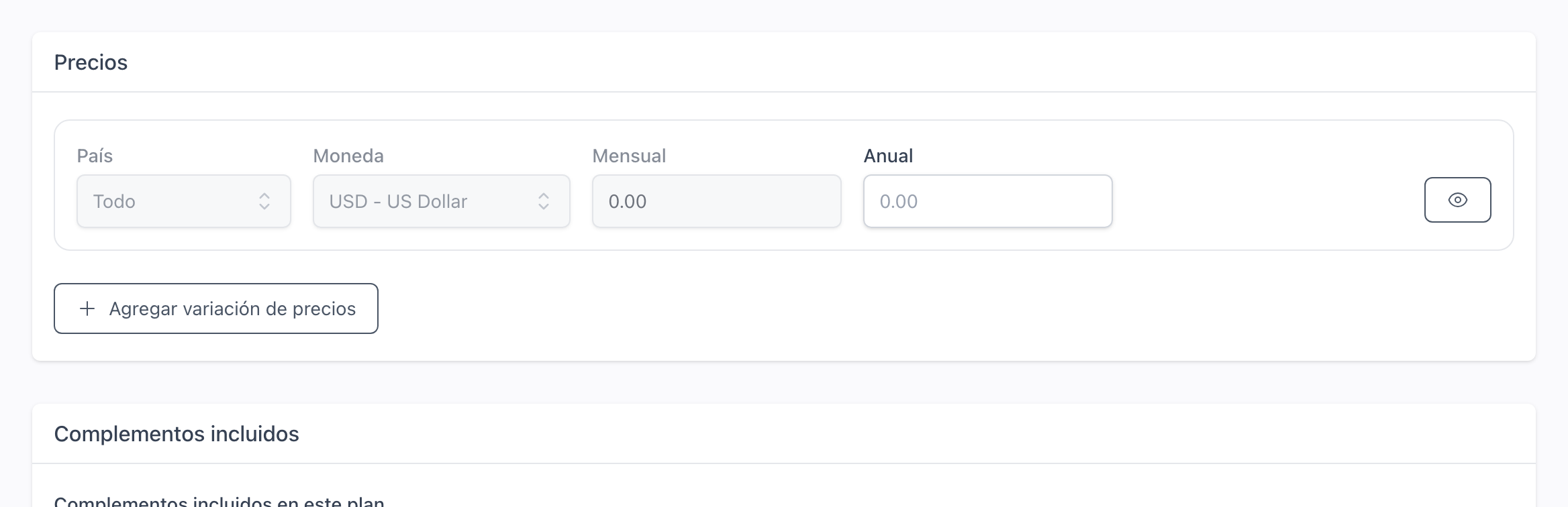
Price each plan for every country and cycle
Sell the same plan at one price in pesos for Mexico and another in dollars for everyone else, monthly or yearly. Each visitor sees the price for their country, in the currency they will actually be charged in.
How to create and price a plan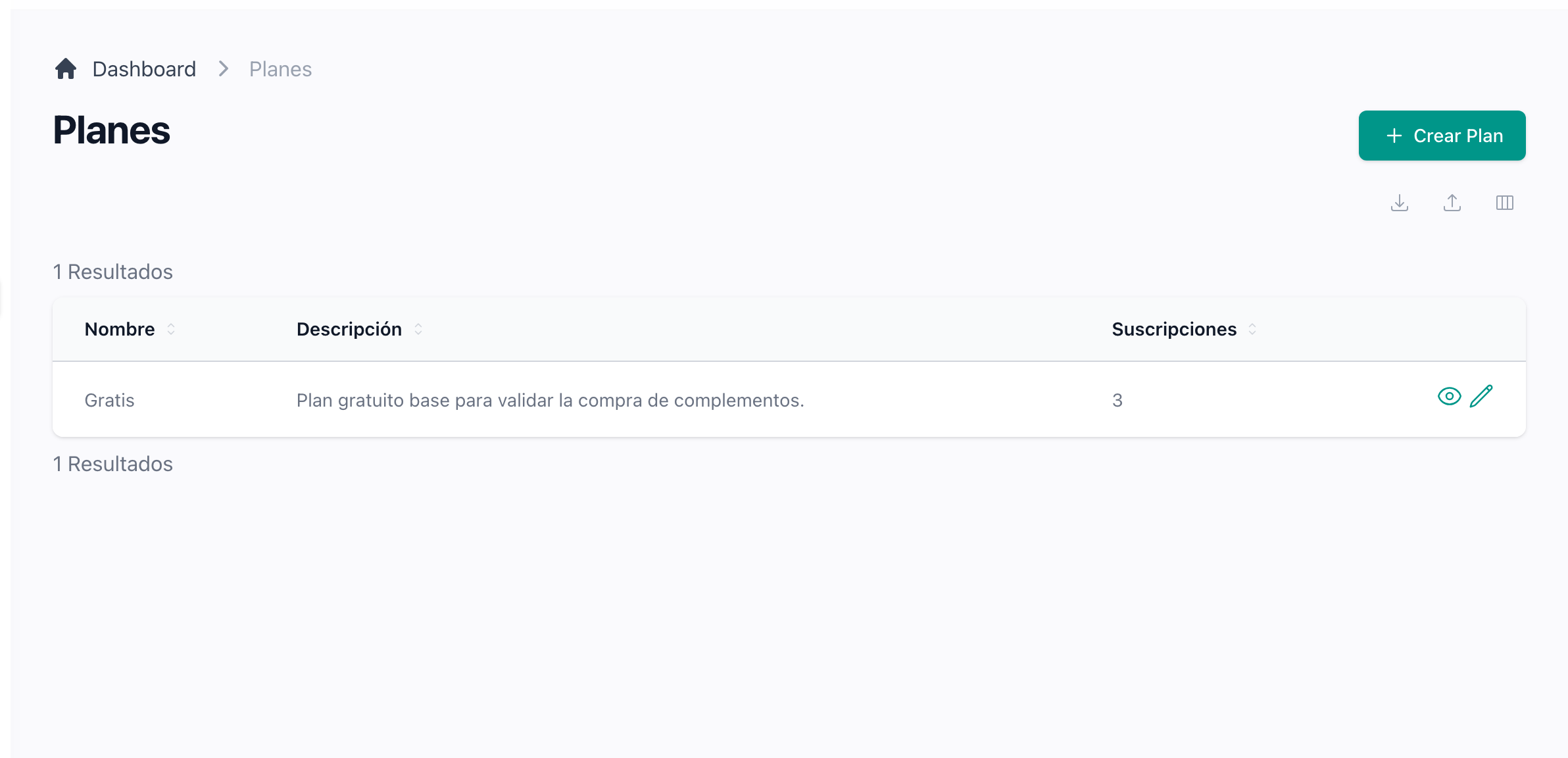
Edit your plans in the admin panel and Stripe follows
Name, features, prices, included add-ons and limits live in one form. Saving creates the product and its prices in Stripe, and every event Stripe sends back is kept in a log you can open.
How to turn billing on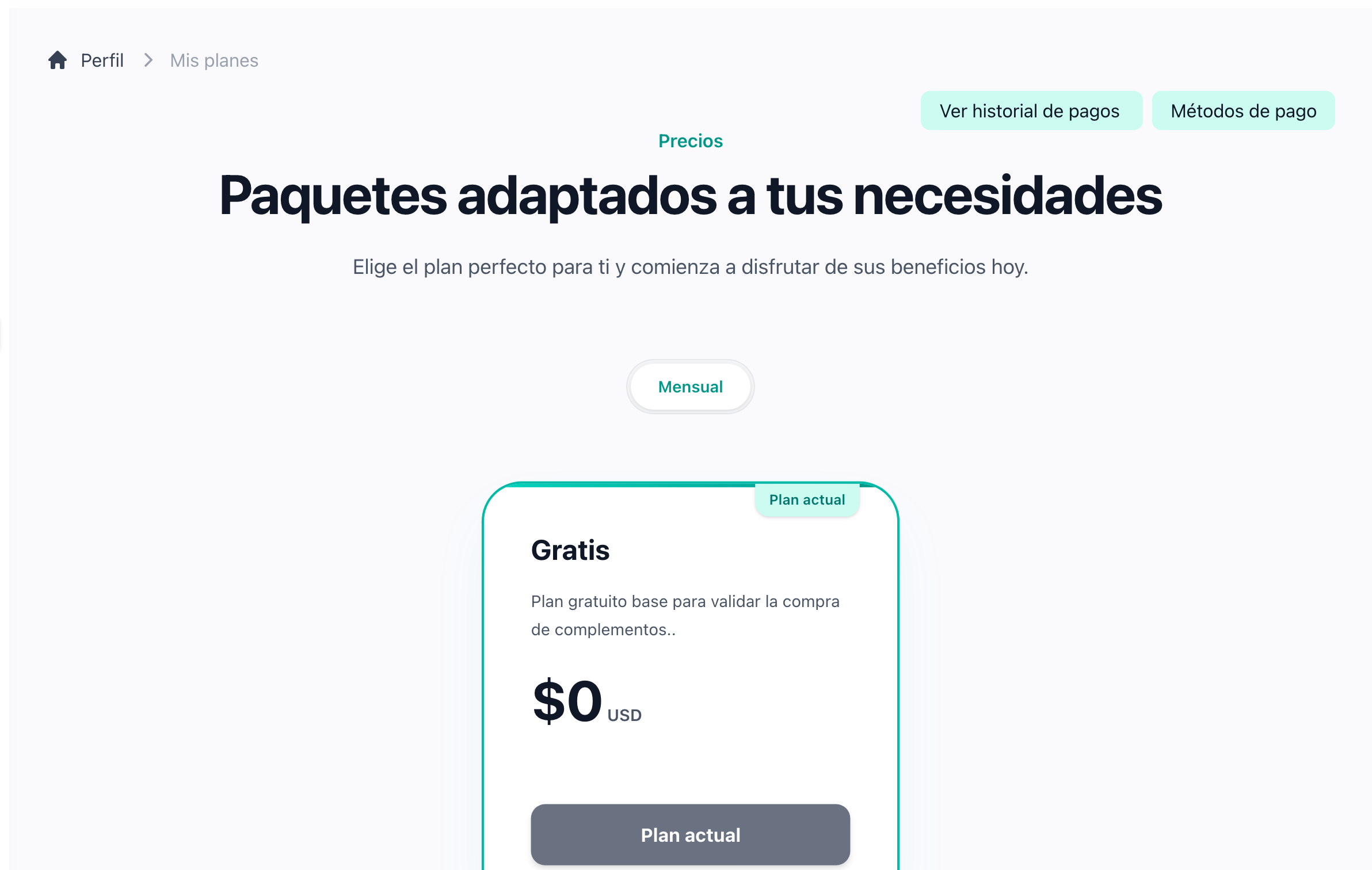
Take payments through Stripe Checkout
A free plan is subscribed on the spot and a paid one opens Stripe Checkout, so no card number ever reaches your server. From these cards your users change plan, cancel or retry a failed payment. A cheaper paid plan starts at the next renewal, and a cancelled plan stays active until then, with Resume plan available from that same card.
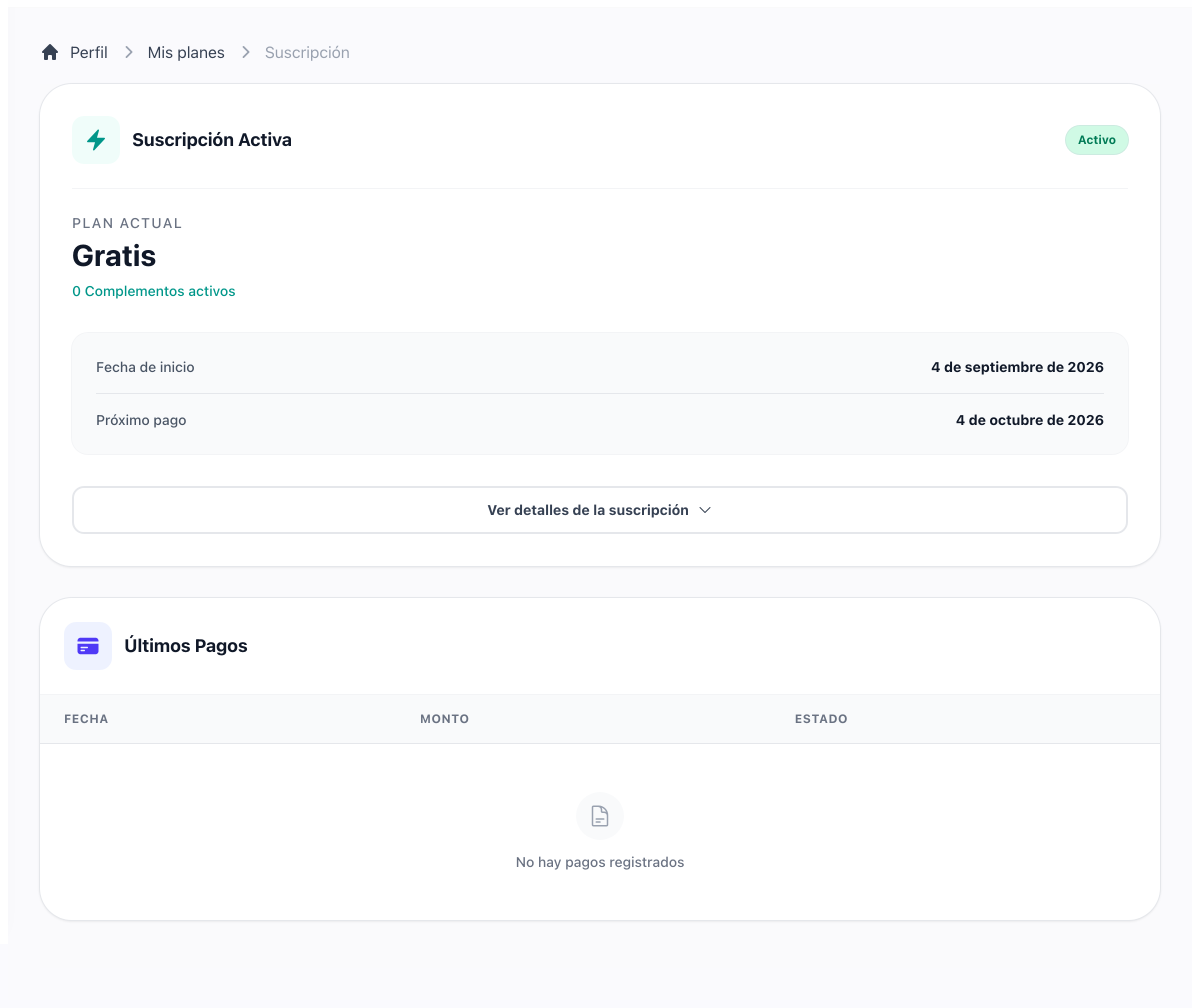
Keep invoices and cards inside the account
The billing screen shows the plan, its state, the next payment date and the last invoices. Cards are added, set as default and removed from the payment methods page, with Stripe holding the numbers.
See what each payment was for
Open any payment to see its breakdown line by line: the plan, each add-on, every mid-cycle adjustment and any discount, adding up to what was charged. The official receipt Stripe issued downloads from the same place.
Nobody loses a plan they did not give up
A plan belongs to whoever subscribed to it. A country corrected in a profile, a trip abroad or a payment page someone closed never takes it away: the subscription that is running keeps running until the new one is confirmed, so an account is never left with two of them, and never with none.
What a subscriber can do with a planPut a deadline on a charge that will not go through
A renewal or a usage charge Stripe could not collect is retried for as many days as you decide, with one warning before the window closes and a notice on every screen counting the days left. When it runs out the amount stops being chased and becomes a single outstanding balance, which the account settles in one payment that clears every charge behind it. An account whose subscription ends goes back to the free plan on its own, and one that cannot is told why on every screen, with the way back.
How usage is billed and retried
Sell add-ons on top of any plan
Declare a capability in code and price it from the admin panel, with an icon, screenshots, categories and its own limits. One add-on can require another, so the catalogue holds it back until the account has the one it builds on. Whether an account has it is one question your code asks, whatever way it was obtained.
How to sell add-onsDeclare plans and add-ons in code
Describe a plan or an add-on once in its seeder, with its prices, images and help guides, and every deploy creates it or brings it up to date. While it stays under code control the admin panel shows it locked; releasing it hands it to the panel for good. A plan or add-on created by hand is never touched. The add-on card links to its guides, so a customer finds how it works from the catalogue.
How to declare an add-on in code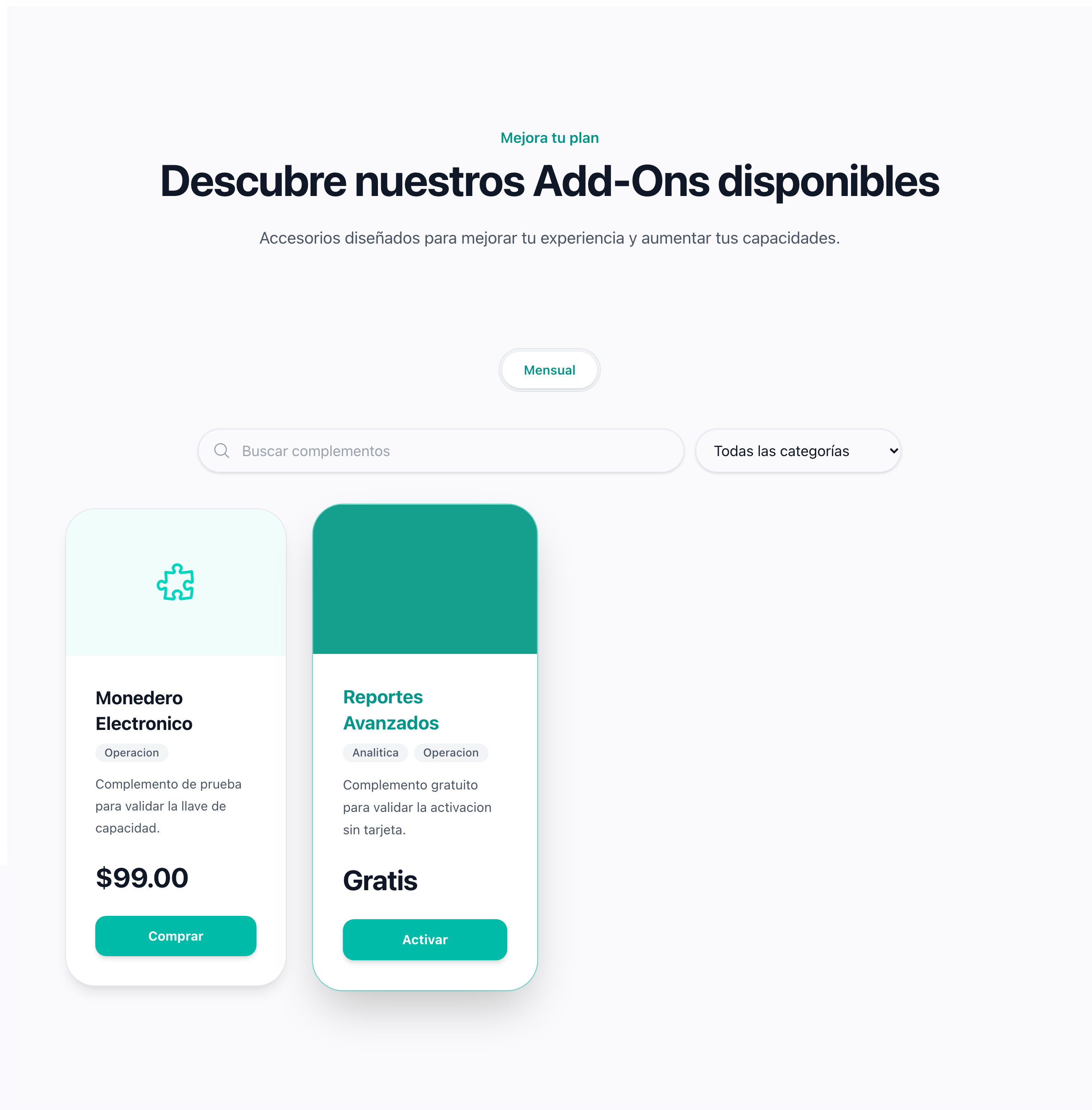
Let your users browse and buy add-ons themselves
The account has a catalogue with search, categories and a detail page per add-on. Free ones switch on with a click; paid ones join the subscription and are invoiced right away. Cancelling one, switching it off or moving to a smaller tier is refused while the account would be left using more than it allows, so nobody loses room for what they already have.
What happens when an add-on is cancelled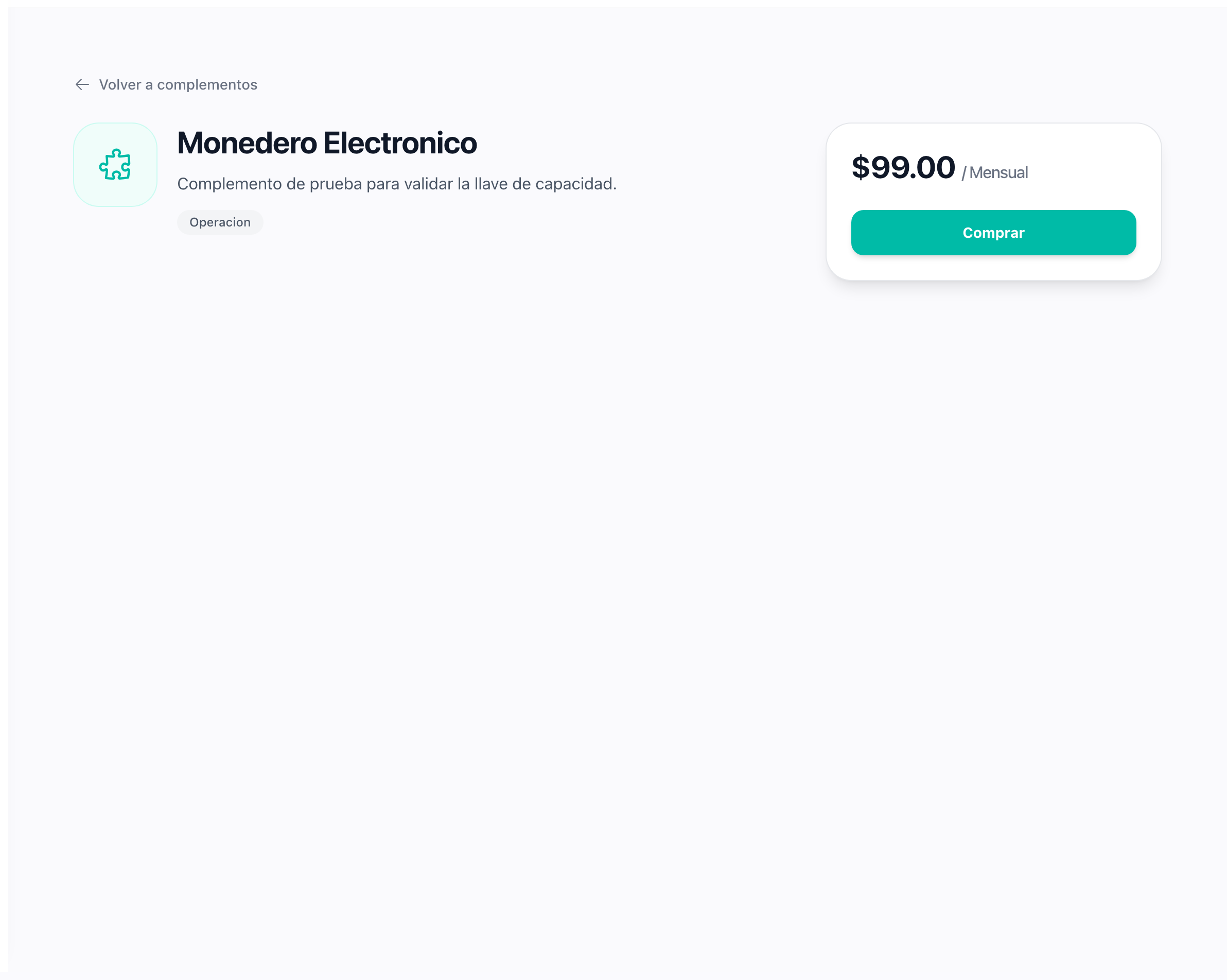
Grant an add-on five different ways
An add-on can be free, included in a plan, bought by subscription, granted as a trial or owned for life. The account resolves them in order, so a lifetime purchase is never switched off by a webhook or an expired trial. The admin panel shows which way each account holds each add-on, and lets you take back one you gave as a gift.
Charge once for anything else
A report, a ticket or a lifetime licence is a single Stripe Checkout on the same customer your subscriptions use, opened from a few lines of your code. The webhook and its log are already in place to confirm the payment before you deliver.
How to charge onceSoften the first payment with trials and promotion codes
Turn on a trial and every paid plan starts with it, card on file and no charge until it ends. Coupons you create in Stripe are accepted at Checkout through a promotion code field.
How trials and coupons work
Put a number on what each plan allows
Declare a limit in code and set its value per plan and per add-on in the admin panel. Your users see a usage card for each one on their dashboard, with a progress bar and daily charts, and your code asks one method before creating a record.
How to declare and enforce limitsSell in several currencies and report in one
Each price carries its own currency and Stripe charges in it. A daily exchange rate brings every paid invoice back to your primary currency, so the revenue chart on the admin dashboard adds up.
How currencies and exchange rates work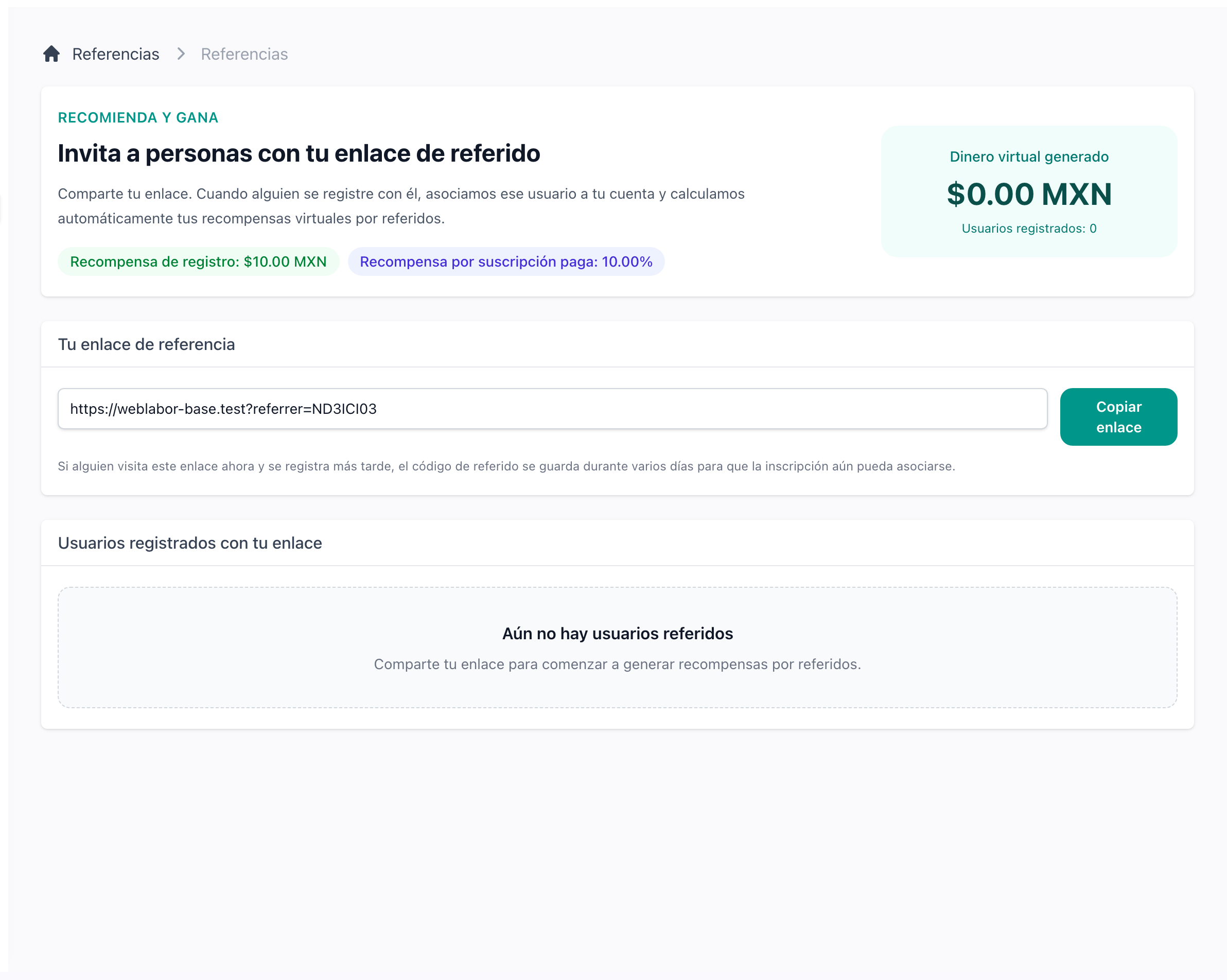
Reward the users who bring you users
Every user has a referral link and a page that shows who registered through it and what it earned. The referrer is credited a fixed amount at registration and a percentage of every subscription invoice the referred account pays.
How referrals workNever quote anyone a price meant for another country
A price belongs to the country it was written for. Someone whose country you have not priced is told so, on the plans page, on the add-ons and on the usage they are billed for, instead of being shown an amount in a currency they would never be charged in. The admin panel warns you the moment your prices leave a country out, and lets you save anyway.